
| Linuxコマンド |
| 用語集 |
| debian メモ |
| apache2 メモ |
| MySQL メモ |
| Oracle メモ |
| PostgreSQL |
| HOME |
MySQLのレプリケーションをしてみます。
色々試しましたがレプリカからプライマリへの接続が上手くいかずレプリケーションはできませんでした。。。
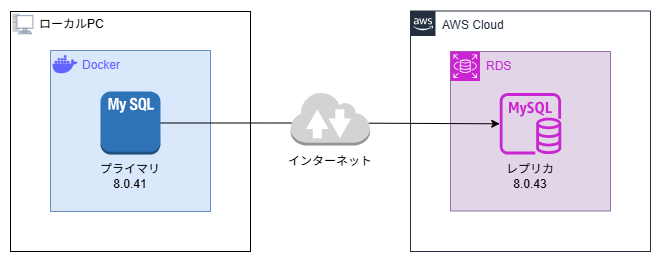
レプリケーション方式
レプリケーション方式はbinlogベースにします。 binlog方式は非同期のようですが、この非同期はプライマリ側でコミットするとbinlogに書き込まれた時点でcommitが成功で返り、別のタイミングでbinlogの差分がレプリカに連携されるようです。GTID は Global Transaction ID の略のようです。
プライマリの設定
| my.cnf | ||
|
| docker-compose.yml | ||
|
コマンドプロンプトでコマンドを実行します。
[+] Running 2/2
✔ Container mysql-container-8.0.41 Removed 1.4s
✔ Network docker-work_default Removed 0.1s
[+] Running 1/1
✔ mysql Pulled 2.0s
[+] Running 2/2
✔ Network docker-work_default Created 0.1s
✔ Container mysql-container-8.0.41 Started 0.5s
レプリケーション用のユーザーを作成します。
 word';
GRANT REPLICATION SLAVE, REPLICATION CLIENT ON *.* TO 'repl'@'%';
FLUSH PRIVILEGES;
+------------------+----------+--------------+------------------+----
--------------------------------------+| File | Position | Binlog_Do_DB | Binlog_Ignore_DB | Exe
cuted_Gtid_Set |+------------------+----------+--------------+------------------+----
--------------------------------------+| mysql-bin.000003 | 859 | | | 717
63b4c-e563-11f0-8ad2-0242ac120002:1-9 |+------------------+----------+--------------+------------------+----
--------------------------------------+1 row in set (0.00 sec)
レプリカの設定
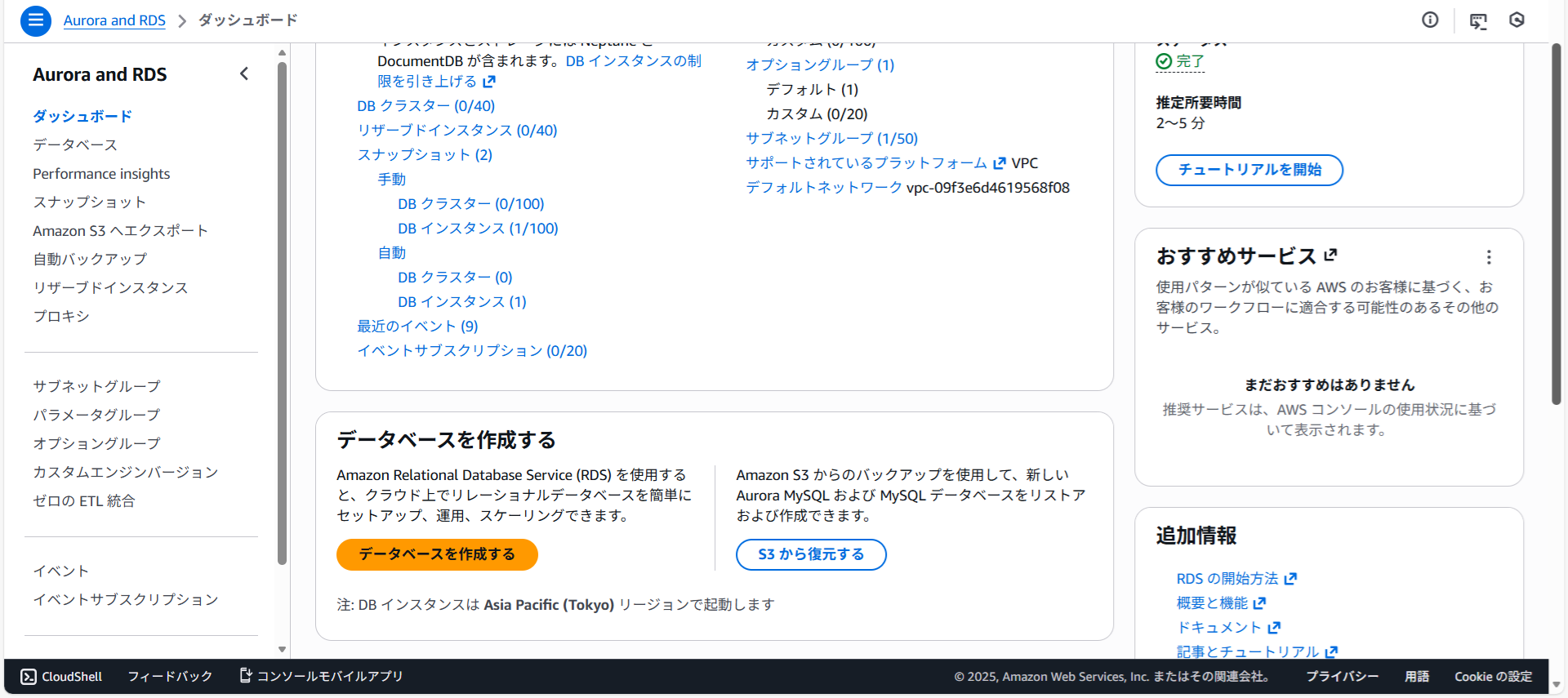
RWSを開きデータベースを作成するをクリックします。
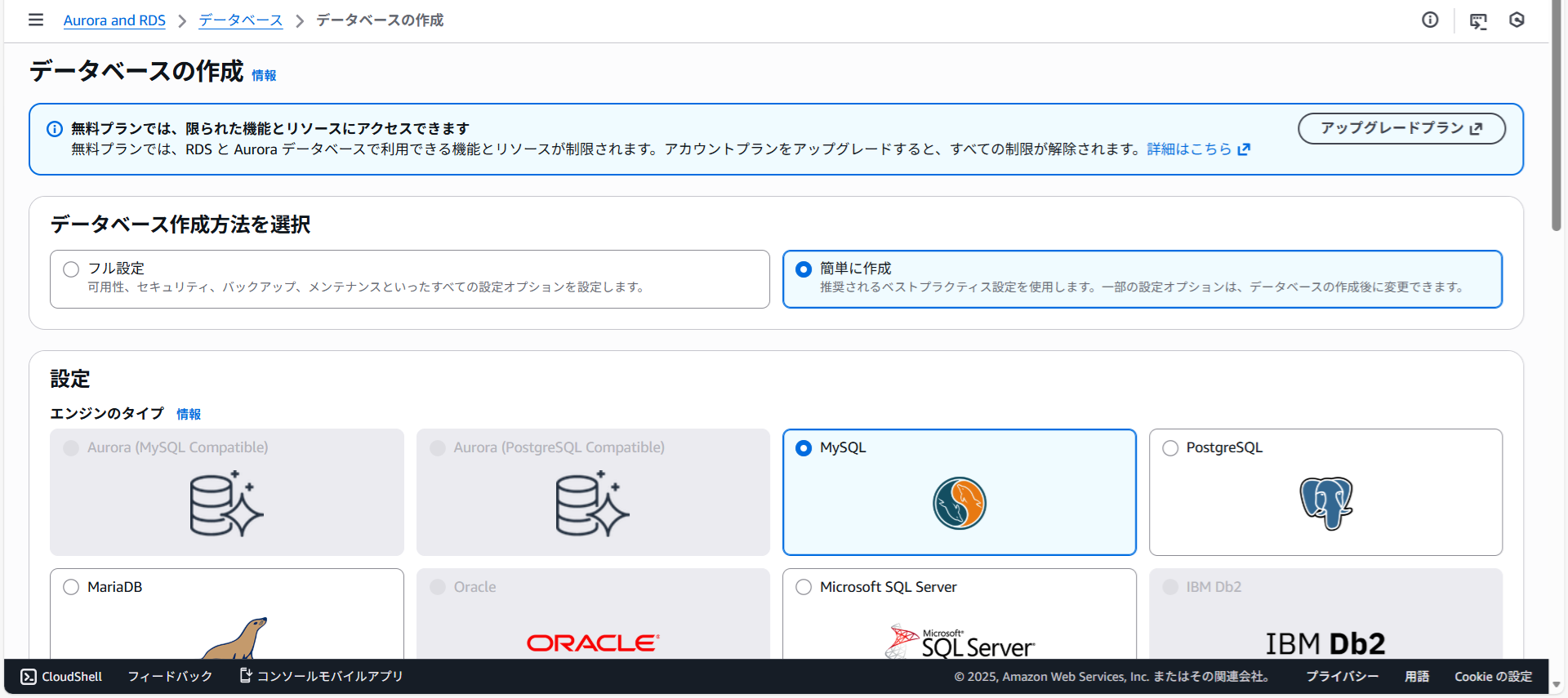
MySQLを選択し下にスクロールさせます。
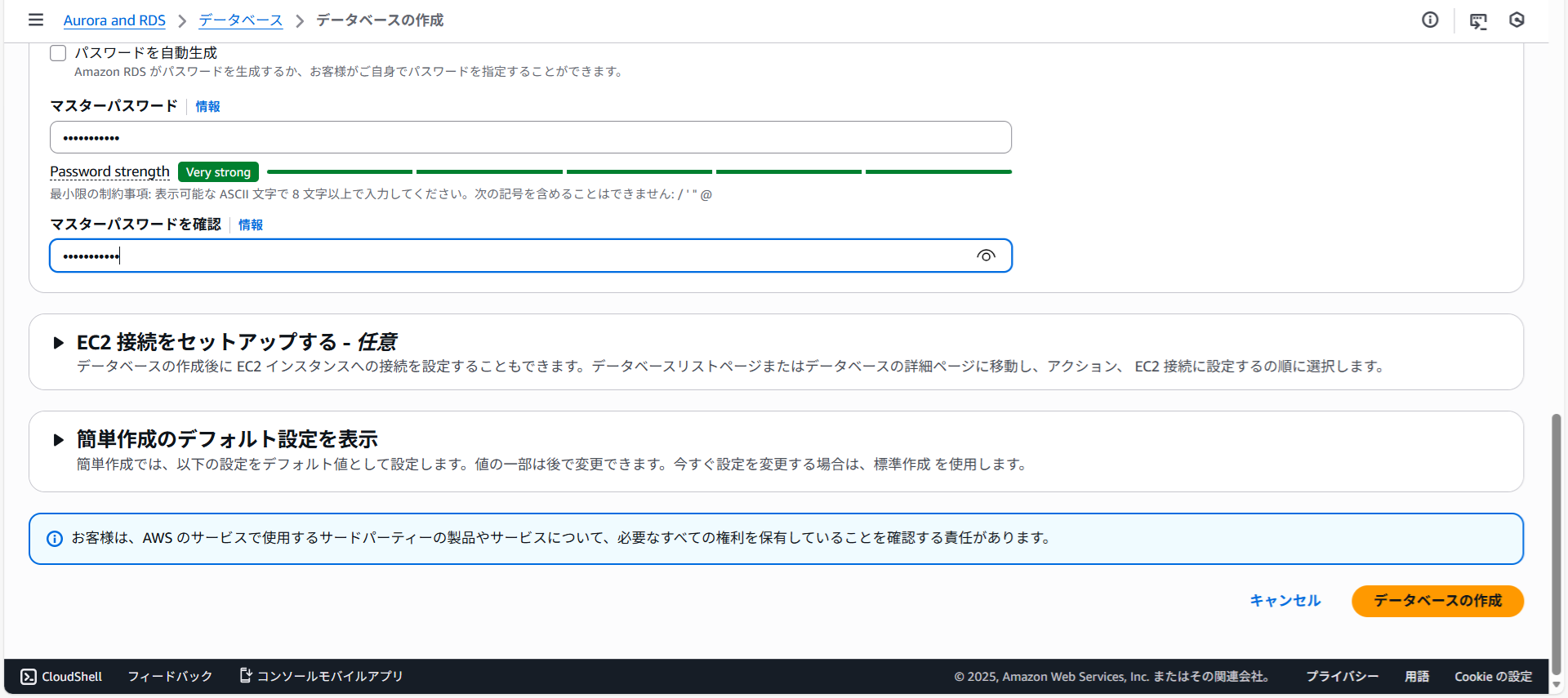
マスターパスワードとマスターパスワードを確認を入力しデータベースの作成をクリックします。
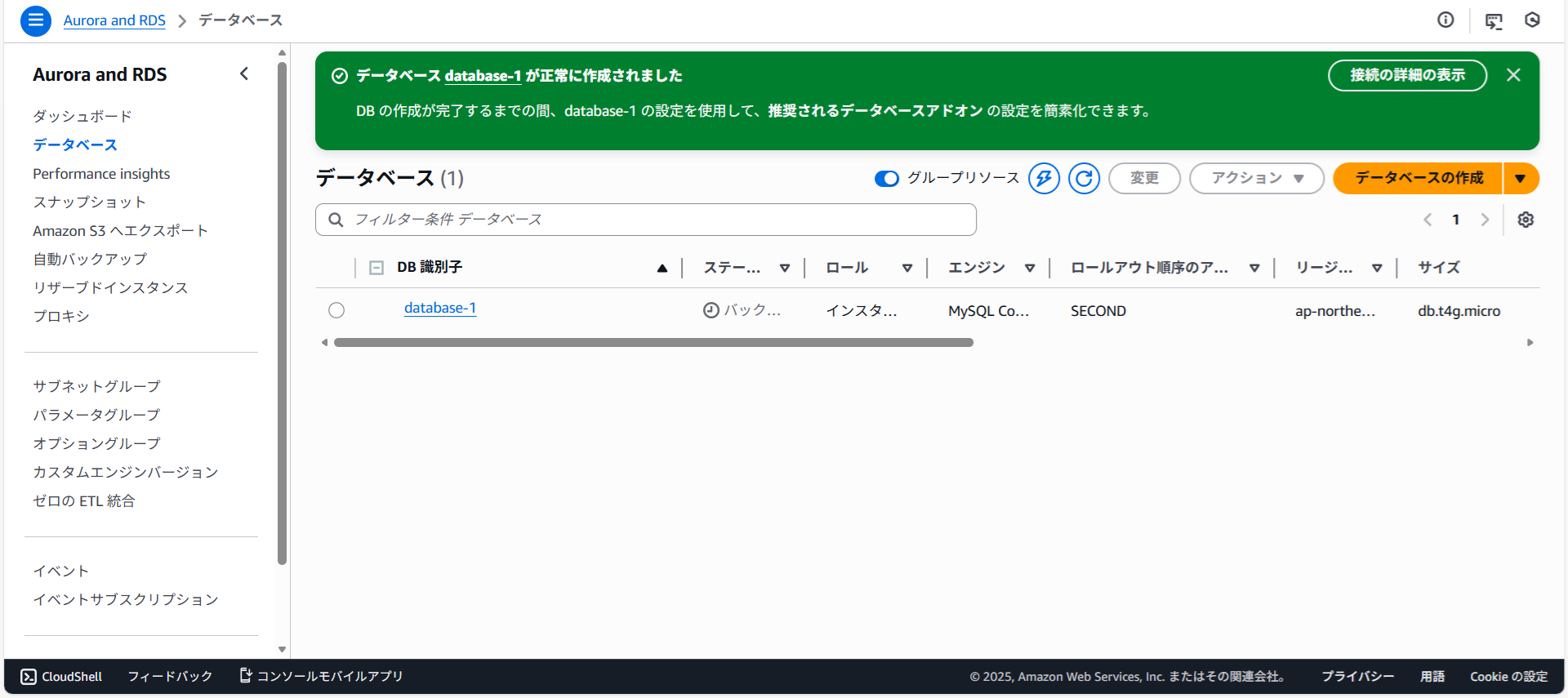
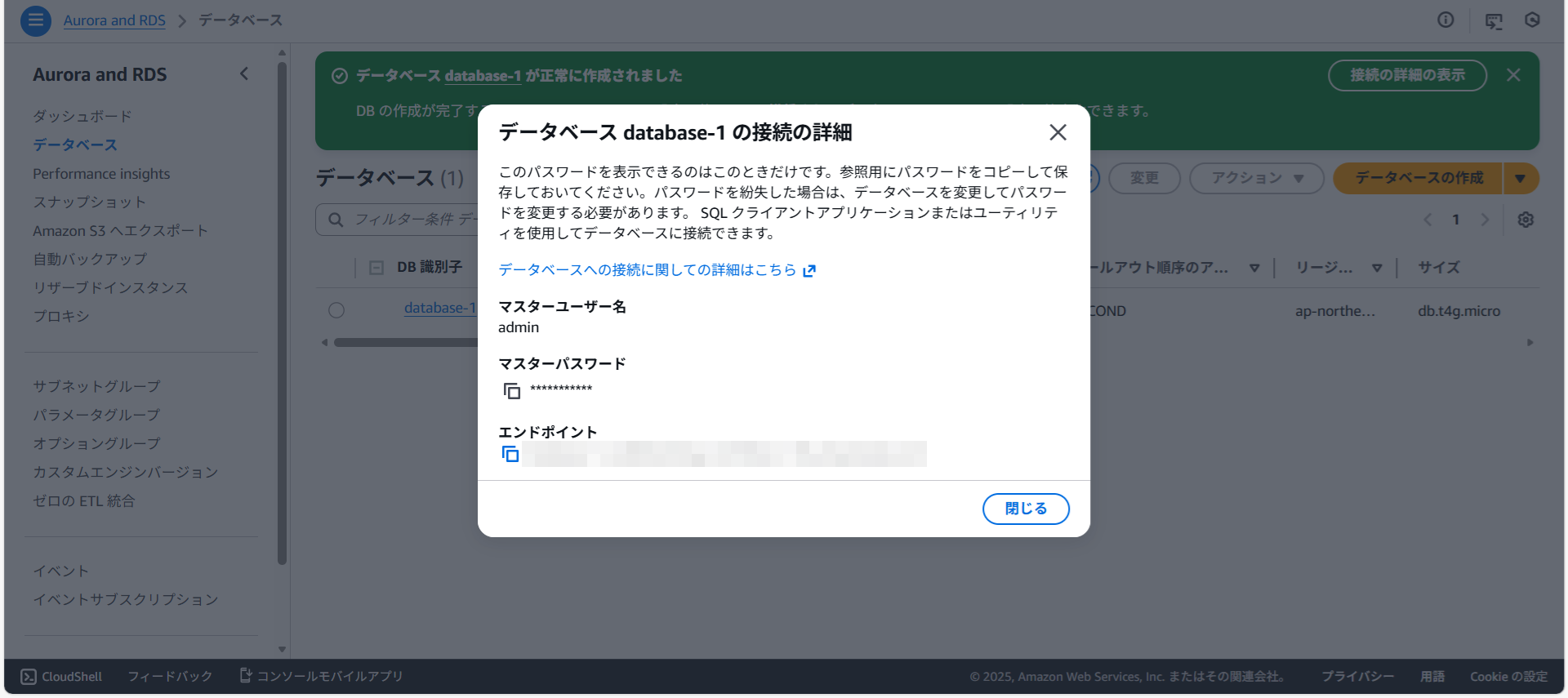
DockerコンテナのbashでプライマリのMyDBをダンプします。
--single-transaction \
--set-gtid-purged=ON \
--databases MyDB \
--triggers --routines --events \
-u root -p \
> mydb.sql
Enter password:
Warning: A partial dump from a server that has GTIDs will by default
include the GTIDs of all transactions, even those that changed suppressed parts of the database. If you don't want to restore GTIDs, pass --set-gtid-purged=OFF. To make a complete dump, pass --all-databases --triggers --routines --events.警告が表示されました。
てのトランザクションのGTIDが含まれます。これは、データベースの抑制対象部分を変更したトランザクションも含まれます。GTIDを復元したくない場合は、--set-gtid-purged=OFF を指定してください。完全なダンプを作成するには、--all-databases --triggers --routines --events を指定してください。DockerコンテナのbushからRDSのMySQLへ接続できた方が設定がしやすいのでRDSのMySQLに外部から接続できるように設定します。
VPCセキュリティグループをクリックします。
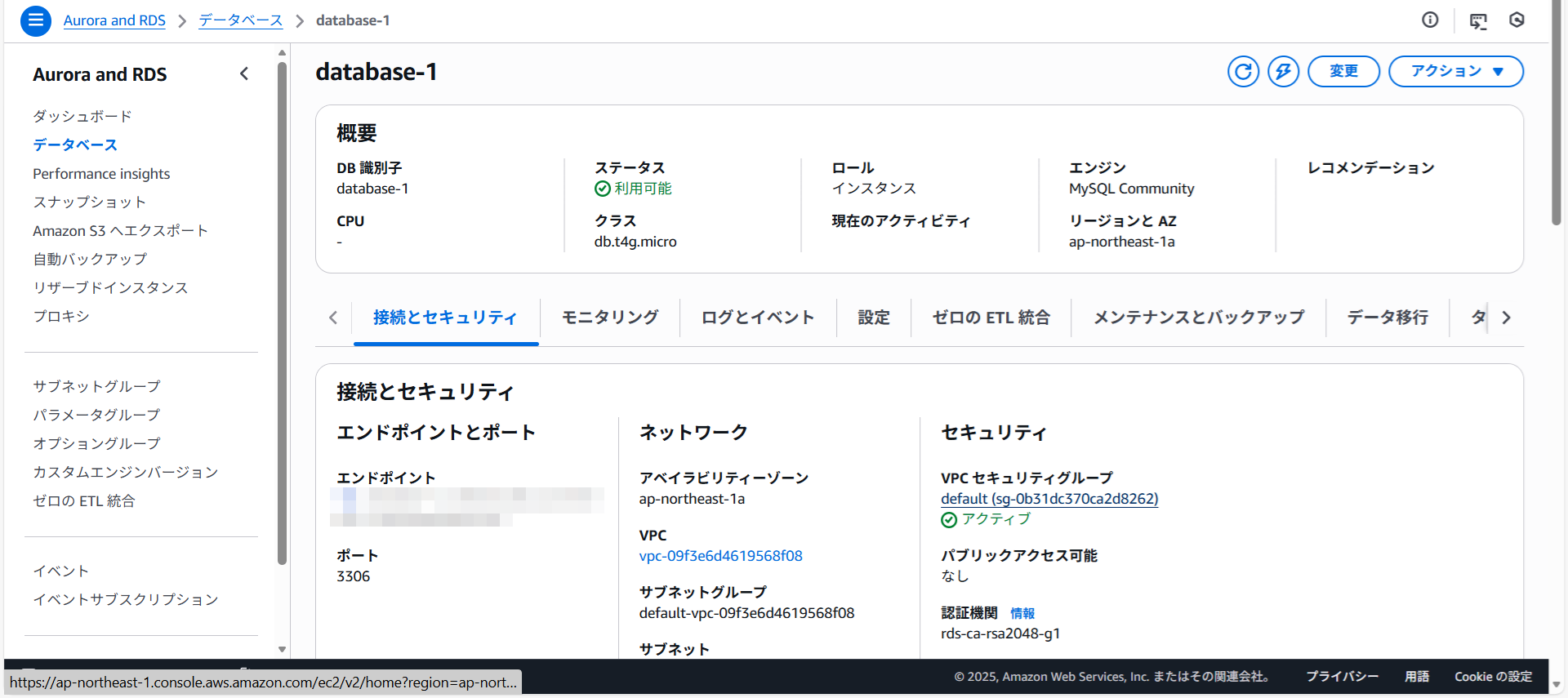
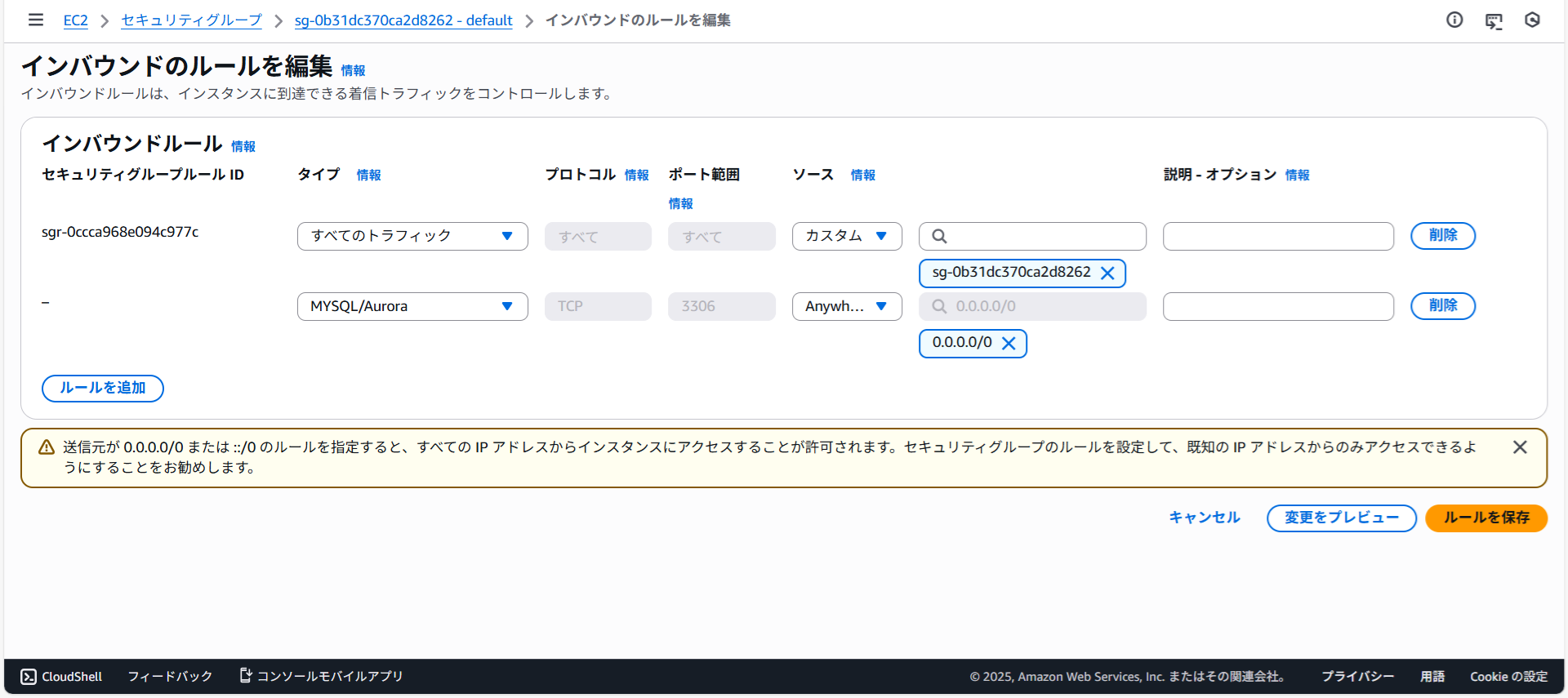
セキュリティグループIDをクリックし、インバウンドのルールを編集をクリックします。
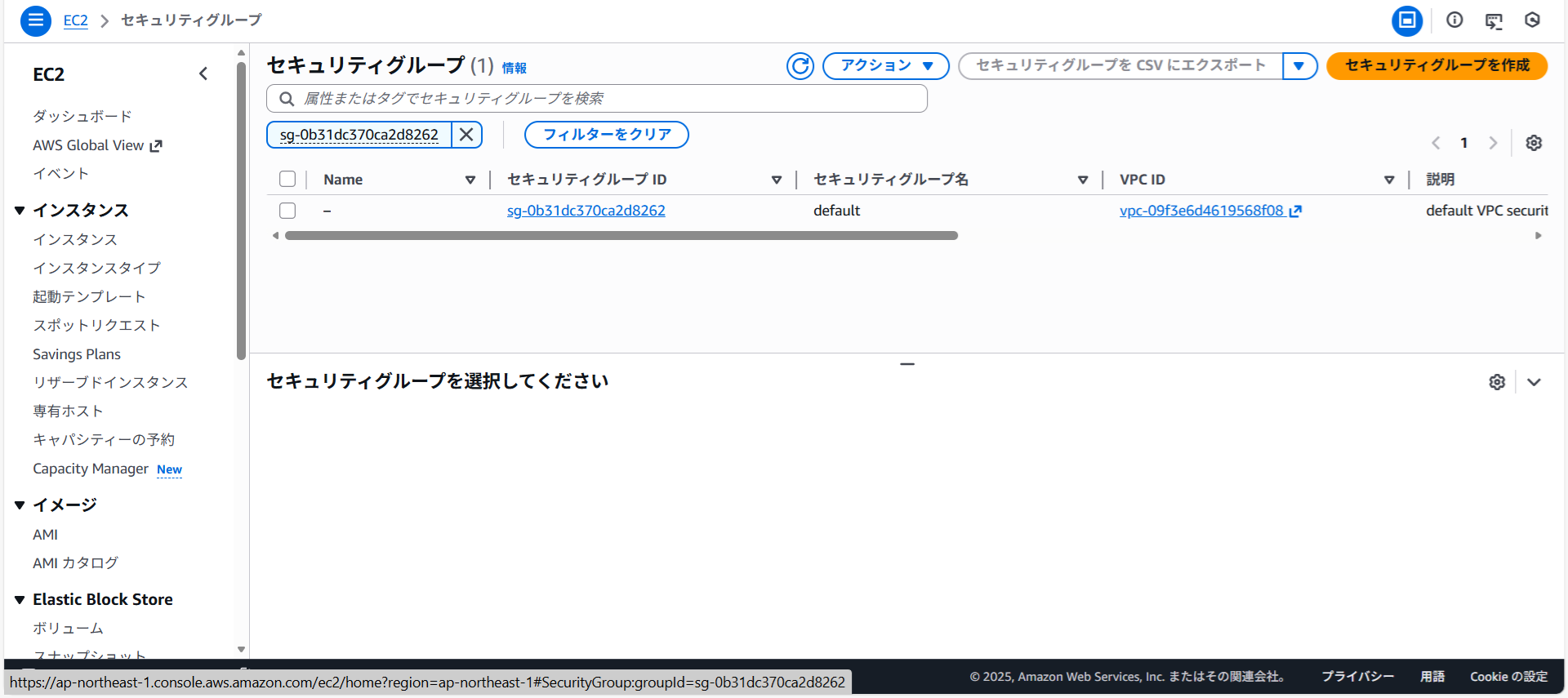
MySQL/Auroraを追加しルールを保存をクリックします。
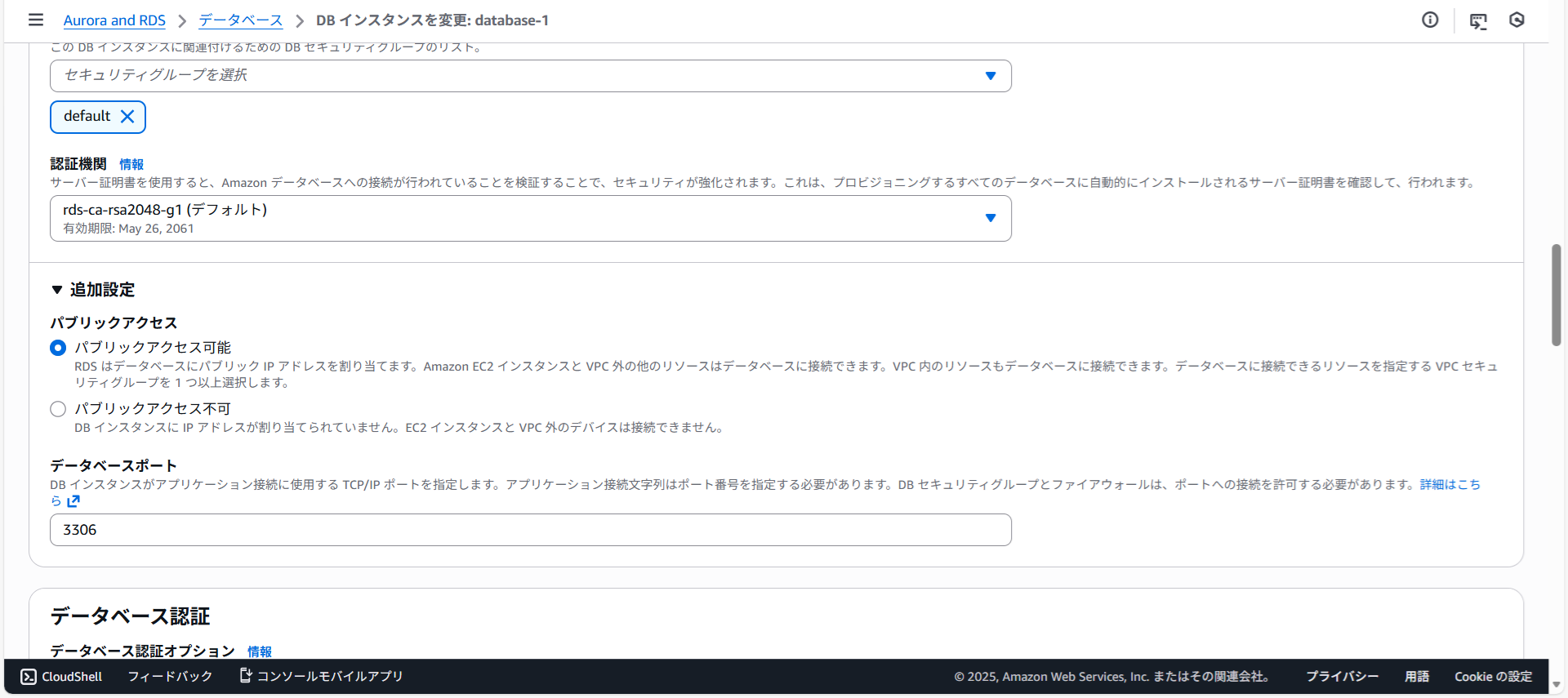
RDSを開き変更をクリックします。 下にスクロールさせて追加設定を開きパブリックアクセス可能を選択して一番下にある続行をクリックします。
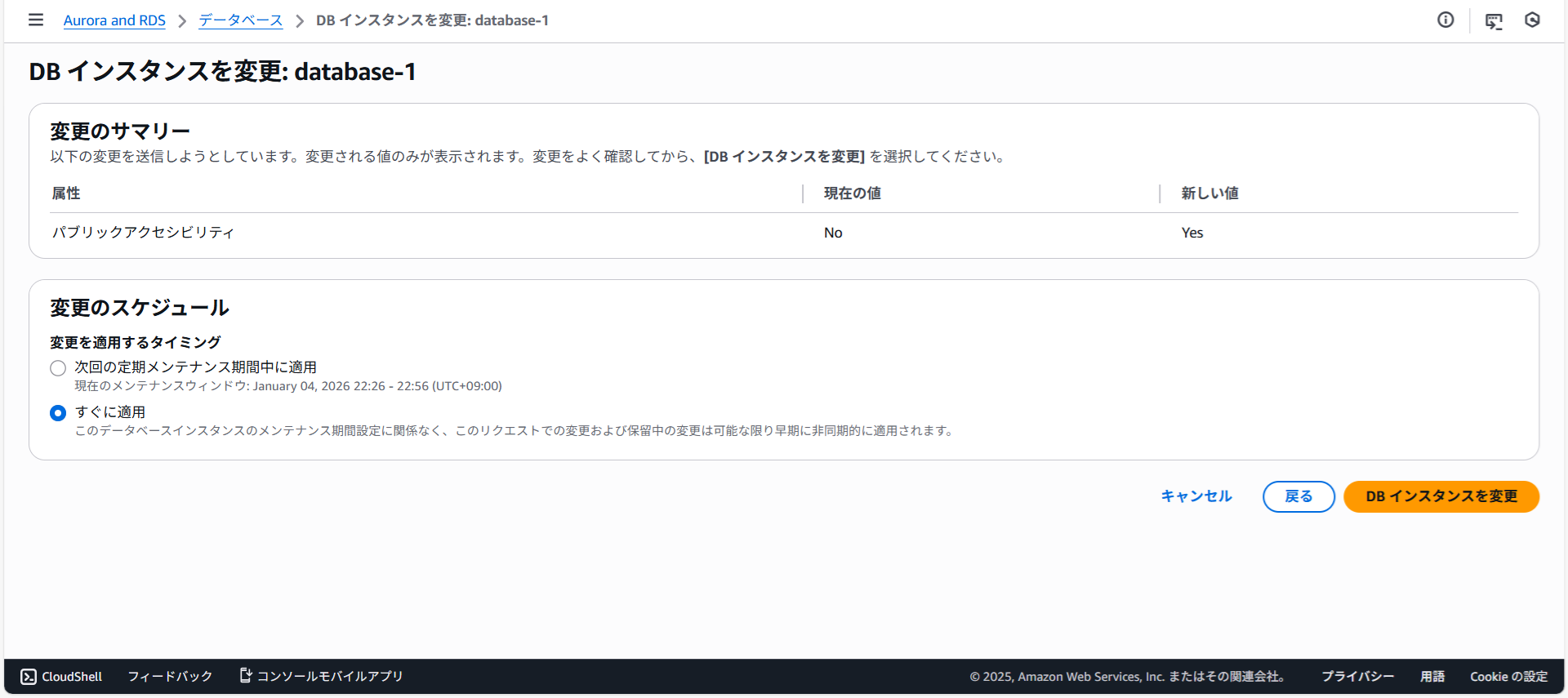
すぐに適用を選択しDBインスタンスを変更をクリックします。
DockerのbashからRDSへインポートしようとしたところエラーになりました。
com < mydb.sqlEnter password:
ERROR 1227 (42000) at line 24: Access denied; you need (at least one
of) the SUPER or SYSTEM_VARIABLES_ADMIN privilege(s) for this operationGTIDをOFF
調べたところ、RDS では SET @@GLOBAL.GTID_PURGED を実行できないため--set-gtid-purged=ON の dump をそのまま import すると必ず失敗するようです。
my.cnfを変更します。
| my.cnf | ||
|
docker-compose downとdocker-compose up -dを実行しコンテナのMySQLへ接続しgtid_modeを確認します。
+---------------+-------+
| Variable_name | Value |
+---------------+-------+
| gtid_mode | OFF |
+---------------+-------+
1 row in set (0.01 sec)
GTIDをOFFでダンプします。
--single-transaction \
--set-gtid-purged=OFF \
--databases MyDB \
--triggers --routines --events \
--master-data=2 \
-u root -p \
> mydb.sql
WARNING: --master-data is deprecated and will be removed in a future
version. Use --source-data instead.Enter password:
ダンプしたファイルの内容を確認します。
S=847;RDSにインポートします。
azonaws.com < mydb.sqlEnter password:
RDSにmysqlで接続しレプリケーションの設定をします。
-> '111.33.44.11',
-> 3306,
-> 'repl',
-> 'password',
-> 'mysql-bin.000003',
-> 847,
-> 0
-> );
Query OK, 0 rows affected (0.11 sec)
レプリケーションを開始したところエラーがでました。
ERROR 1644 (45000): Slave has encountered an error. Run SHOW SLAVE ST
ATUS\G; to see the error.ステータスを確認します。
Slave_IO_StateがConnecting to masterになっています。
*************************** 1. row ***************************
Slave_IO_State: Connecting to master
Master_Host: 111.33.44.11
Master_User: repl
Master_Port: 3306
Connect_Retry: 60
Master_Log_File: mysql-bin.000003
Read_Master_Log_Pos: 847
Relay_Log_File: relaylog.000001
Relay_Log_Pos: 4
Relay_Master_Log_File: mysql-bin.000003
Slave_IO_Running: Connecting
Slave_SQL_Running: Yes
Replicate_Do_DB:
Replicate_Ignore_DB:
Replicate_Do_Table:
Replicate_Ignore_Table: innodb_memcache.cache_policies,innodb_
memcache.config_options,mysql.plugin,mysql.rds_configuration,mysql.rds_history,mysql.rds_monitor,mysql.rds_replication_status,mysql.rds_sysinfo,mysql.rds_upgrade_prechecksReplicate_Wild_Do_Table:
Replicate_Wild_Ignore_Table:
Last_Errno: 0
Last_Error:
Skip_Counter: 0
Exec_Master_Log_Pos: 847
Relay_Log_Space: 157
Until_Condition: None
Until_Log_File:
Until_Log_Pos: 0
Master_SSL_Allowed: No
Master_SSL_CA_File:
Master_SSL_CA_Path:
Master_SSL_Cert:
Master_SSL_Cipher:
Master_SSL_Key:
Seconds_Behind_Master: NULL
Master_SSL_Verify_Server_Cert: No
Last_IO_Errno: 0
Last_IO_Error:
Last_SQL_Errno: 0
Last_SQL_Error:
Replicate_Ignore_Server_Ids:
Master_Server_Id: 0
Master_UUID:
Master_Info_File: mysql.slave_master_info
SQL_Delay: 0
SQL_Remaining_Delay: NULL
Slave_SQL_Running_State: Slave has read all relay log; waiting
for more updatesMaster_Retry_Count: 86400
Master_Bind:
Last_IO_Error_Timestamp:
Last_SQL_Error_Timestamp:
Master_SSL_Crl:
Master_SSL_Crlpath:
Retrieved_Gtid_Set:
Executed_Gtid_Set:
Auto_Position: 0
Replicate_Rewrite_DB:
Channel_Name:
Master_TLS_Version:
Master_public_key_path:
Get_master_public_key: 0
Network_Namespace:
1 row in set, 1 warning (0.02 sec)
接続ポートを変更
レプリカ(RDS)からプライマリに接続するポートを13306に変更しようとしましたがエラーがでました。
-> '111.33.44.11',
-> 13306,
-> 'repl',
-> 'password',
-> 'mysql-bin.000003',
-> 847,
-> 0
-> );
ERROR 1644 (45000): You can't modify replication because replication
is running. First call mysql.rds_stop_replication.リプリケーションを停止します。
+-------------------------------+
| Message |
+-------------------------------+
| Slave is now down or disabled |
+-------------------------------+
1 row in set (5.22 sec)
Query OK, 0 rows affected (5.22 sec)
リプリケーションをリセットします。
+----------------------+
| message |
+----------------------+
| Slave has been reset |
+----------------------+
1 row in set (0.06 sec)
Query OK, 0 rows affected (0.06 sec)
再度ポートの変更をします。
-> '111.33.44.11',
-> 13306,
-> 'repl',
-> 'password',
-> 'mysql-bin.000003',
-> 847,
-> 0
-> );
Query OK, 0 rows affected (0.05 sec)
リプリケーションを開始してみましたがエラーは変わりませんでした。
ERROR 1644 (45000): Slave has encountered an error. Run SHOW SLAVE ST
@@@ATUS\G; to see the error.
ポートの接続許可
my.cnfを変更します。
| my.cnf | ||
|
docker-compose.ymlを変更します。
| docker-compose.yml | ||
|
変更したポートで接続できるか確認します。
Enter password:
レプリケーション用のユーザを作成します。
word';GRANT REPLICATION SLAVE, REPLICATION CLIENT ON *.* TO 'repl'@'%';
FLUSH PRIVILEGES;
プライマリのダンプをします。 --master-dataは警告がでるので--source-dataにしてみます。
--single-transaction \
--set-gtid-purged=OFF \
--databases MyDB \
--triggers --routines --events \
--source-data=2 \
-u root -p -P 13306 \
> mydb.sql
Enter password:
レプリカにダンプをインポートします。
azonaws.com < mydb.sqlEnter password:
ダンプファイルを確認します。
S=847;レプリケーションを止めます。
+-------------------------------+
| Message |
+-------------------------------+
| Slave is now down or disabled |
+-------------------------------+
1 row in set (5.21 sec)
レプリケーションの設定をします。
-> '111.33.44.11',
-> 13306,
-> 'repl',
-> 'password',
-> 'mysql-bin.000003',
-> 847,
-> 0
-> );
Query OK, 0 rows affected (0.04 sec)
リプリケーションを開始しましたが同じエラーがでました。
ATUS\G; to see the error.
*************************** 1. row ***************************
Slave_IO_State: Connecting to master
Master_Host: 111.33.44.11
Master_User: repl
Master_Port: 13306
Connect_Retry: 60
Master_Log_File: mysql-bin.000003
Read_Master_Log_Pos: 847
Relay_Log_File: relaylog.000001
Relay_Log_Pos: 4
Relay_Master_Log_File: mysql-bin.000003
Slave_IO_Running: Connecting
Slave_SQL_Running: Yes
Replicate_Do_DB:
Replicate_Ignore_DB:
Replicate_Do_Table:
Replicate_Ignore_Table: innodb_memcache.cache_policies,innodb_
memcache.config_options,mysql.plugin,mysql.rds_configuration,mysql.rds_history,mysql.rds_monitor,mysql.rds_replication_status,mysql.rds_sysinfo,mysql.rds_upgrade_prechecksReplicate_Wild_Do_Table:
Replicate_Wild_Ignore_Table:
Last_Errno: 0
Last_Error:
Skip_Counter: 0
Exec_Master_Log_Pos: 847
Relay_Log_Space: 157
Until_Condition: None
Until_Log_File:
Until_Log_Pos: 0
Master_SSL_Allowed: No
Master_SSL_CA_File:
Master_SSL_CA_Path:
Master_SSL_Cert:
Master_SSL_Cipher:
Master_SSL_Key:
Seconds_Behind_Master: NULL
Master_SSL_Verify_Server_Cert: No
Last_IO_Errno: 0
Last_IO_Error:
Last_SQL_Errno: 0
Last_SQL_Error:
Replicate_Ignore_Server_Ids:
Master_Server_Id: 0
Master_UUID:
Master_Info_File: mysql.slave_master_info
SQL_Delay: 0
SQL_Remaining_Delay: NULL
Slave_SQL_Running_State: Slave has read all relay log; waiting
for more updatesMaster_Retry_Count: 86400
Master_Bind:
Last_IO_Error_Timestamp:
Last_SQL_Error_Timestamp:
Master_SSL_Crl:
Master_SSL_Crlpath:
Retrieved_Gtid_Set:
Executed_Gtid_Set:
Auto_Position: 0
Replicate_Rewrite_DB:
Channel_Name:
Master_TLS_Version:
Master_public_key_path:
Get_master_public_key: 0
Network_Namespace:
1 row in set, 1 warning (0.01 sec)
デザリング
デザリングで試してみます。
'1.77.1.222',
13306,
'repl',
'password',
'mysql-bin.000003',
847,
0
);
状況は変わりませんでした。
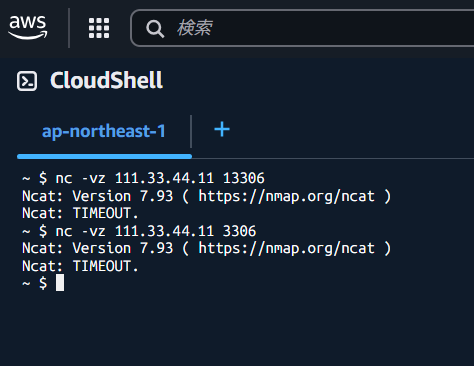
telnetで確認したところポートへ接続できないようです。
接続中: 1.77.1.222...ホストへ接続できませんでした。 ポート番号 13306:
接続に失敗しましたCloudShellから疎通を試しましたがタイムアウトしました。
Copyright (C) 2025 ymlib.com