
| サンプル集 |
|
■VC ■C# ■Java ■BorlandC ■LinuxC ■MS-DOS ■bash ■Excel VBA ■VBScript ■PHP ■HTML ■perl ■iPhone ■Android ■Lua ■WordPress ■PowerShell ■Python ■Flutter ■Rust ■Node.js ■other |
| Linuxコマンド |
| 用語集 |
| debian メモ |
| apache2 メモ |
| MySQL メモ |
| Oracle メモ |
| PostgreSQL |
| HOME |
eclipse のエディターの設定をします。
- 行番号の表示
- 文字フォントの設定
| eclipse | 3.2.2 M20070212-1330 |
|---|
[Window]-[Preferences...] を押します。
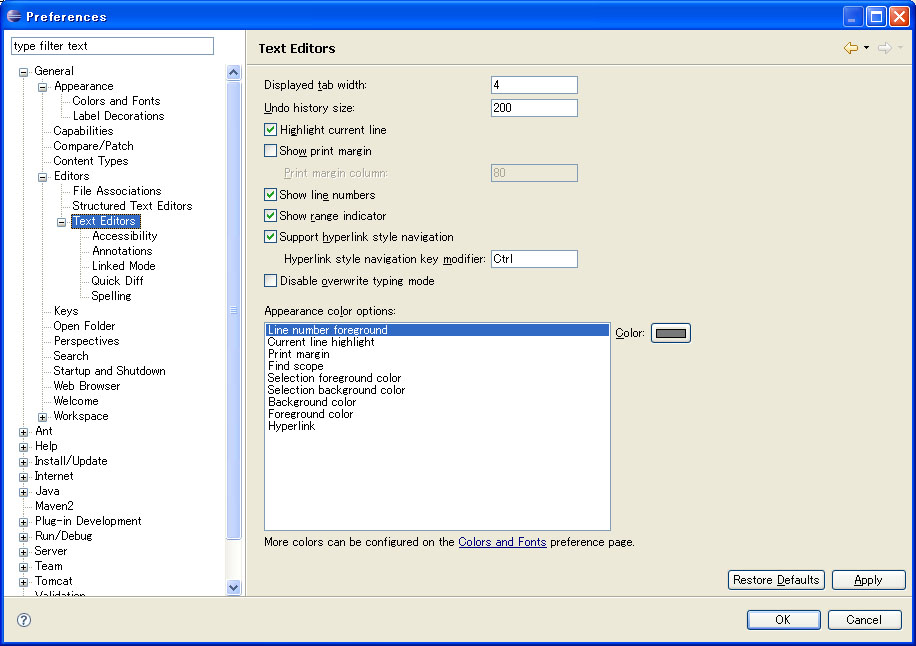
[General]-[Editors]-[Text Editors] を選択します。
| Show line numbers | ON |
|---|
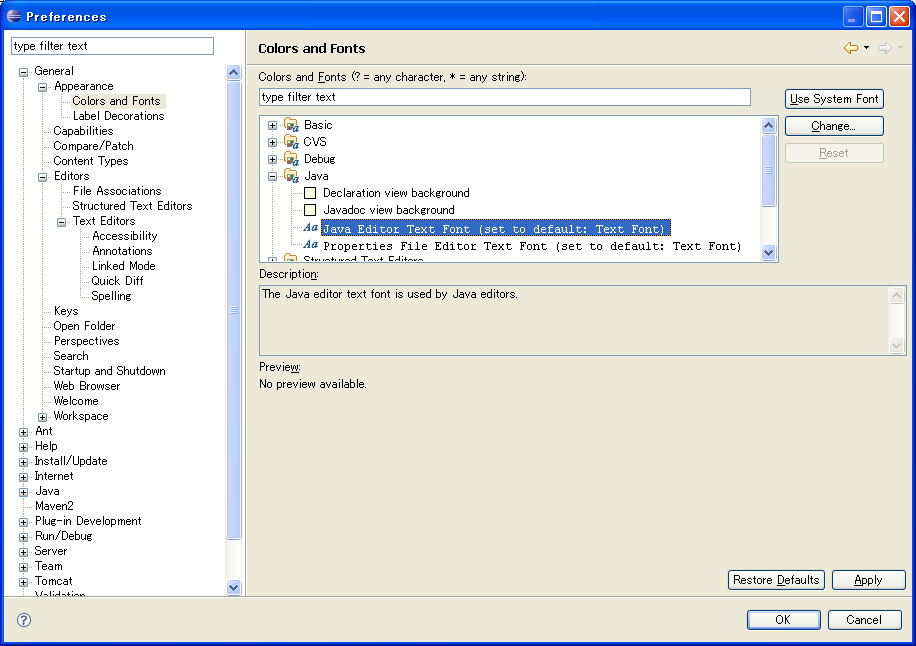
[General]-[Appearance]-[Colors and Fonts] を選択します。 [Java]-[Java Editor Text Font (set to default: Text Font)] を選択し、[Change...] を押します。
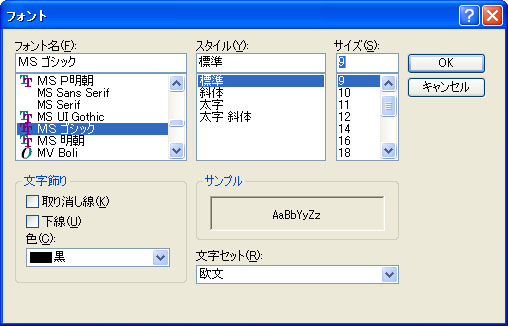
| フォント名(F): | MS ゴシック |
|---|---|
| スタイル(Y): | 標準 |
| サイズ(S): | 9 |
期待通りに設定できました。
Copyright (C) 2007 - 2025 ymlib.com