
| Linuxコマンド |
| 用語集 |
| debian メモ |
| apache2 メモ |
| MySQL メモ |
| Oracle メモ |
| PostgreSQL |
| HOME |
RustをLambdaにデプロイしようとしましたが今回はできませんでした。。。
◆環境| OS | Windows 10 Home 22H2 64bit |
|---|
- cargo-lambdaインストール
- プロジェクト作成
- cargo run(失敗)
- cargo lambda build / deploy
- Lambdaのテスト(失敗)
- cargo lambda invoke(失敗)
- cargo build --release(失敗)
- cargo lambda watch(失敗)
cargo-lambdaインストール
PowerShellでのインストールコマンドを実行してみます。
iex : 発生場所 行:24 文字:32
+ $LatestVersion = $curl.exe --ssl-revoke-best-effort -s "https://w
 ww ...
+ ~~~~~~~~~~~~~~~~~~~~~~
式またはステートメントのトークン 'ssl-revoke-best-effort' を使用でき
ません。発生場所 行:47 文字:8
+ $BinDir\cargo-lambda lambda system --install-zig
+ ~~~~~~~~~~~~~
式またはステートメントのトークン '\cargo-lambda' を使用できません。
発生場所 行:1 文字:45
+ irm https://cargo-lambda.info/install.ps1 | iex
+ ~~~
+ CategoryInfo : ParserError: (:) [Invoke-Expression], P
arseException+ FullyQualifiedErrorId : UnexpectedToken,Microsoft.PowerShell.Co
mmands.InvokeExpressionCommand別のコマンドを試してみます。
'msstore' ソースでは、使用する前に次の契約を表示する必要があります。
Terms of Transaction: https://aka.ms/microsoft-store-terms-of-transac
tionソースが正常に機能するには、現在のマシンの 2 文字の地理的リージョンを
バックエンド サービスに送信する必要があります (例: "US")。すべてのソース契約条件に同意しますか?
[Y] はい [N] いいえ: Y
見つかりました CargoLambda [CargoLambda.CargoLambda] バージョン 1.8.5
このアプリケーションは所有者からライセンス供与されます。
Microsoft はサードパーティのパッケージに対して責任を負わず、ライセン
スも付与しません。このパッケージには次の依存関係が必要です:
- パッケージ
Microsoft.VCRedist.2015+.x64
zig.zig
(1/1) 見つかりました Zig [zig.zig] バージョン 0.14.1
このアプリケーションは所有者からライセンス供与されます。
Microsoft はサードパーティのパッケージに対して責任を負わず、ライセン
スも付与しません。ダウンロード中 https://ziglang.org/download/0.14.1/zig-x86_64-windows
-0.14.1.zip██████████████████████████████ 78.4 MB / 78.4 MB
インストーラーハッシュが正常に検証されました
アーカイブを展開しています...
アーカイブが正常に展開されました
パッケージのインストールを開始しています...
パス環境変数が変更されました; 新しい値を使用するにはシェルを再起動し
てください。コマンド ライン エイリアスが追加されました: "zig"
インストールが完了しました
ダウンロード中 https://github.com/cargo-lambda/cargo-lambda/releases/
download/v1.8.5/cargo-lambda-v1.8.5.windows-x64.zip██████████████████████████████ 13.4 MB / 13.4 MB
インストーラーハッシュが正常に検証されました
アーカイブを展開しています...
アーカイブが正常に展開されました
パッケージのインストールを開始しています...
パス環境変数が変更されました; 新しい値を使用するにはシェルを再起動し
てください。コマンド ライン エイリアスが追加されました: "cargo-lambda"
インストールが完了しました
インストールに5~10分程度かかった印象です。
プロジェクト作成
プロジェクトを作成します。
>cargo lambda new ymwrust008 --http-feature=apigw_rest
VSCodeで開くためにcodeコマンドを実行します。
複数のファイルが生成されていました。
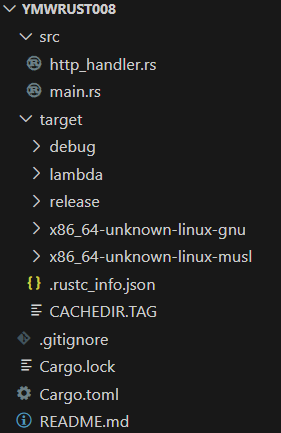
| main.rs | ||
|
| http_handler.rs | ||
|
| Cargo.toml | ||
|
cargo run
実行してみます。
Compiling pin-project-lite v0.2.16
Compiling stable_deref_trait v1.2.0
Compiling itoa v1.0.15
:
Compiling ymwrust008 v0.1.0 (C:\Users\xxx\rust-workspace\ymwrust00
8)Finished `dev` profile [unoptimized + debuginfo] target(s) in 15.
48sRunning `target\debug\ymwrust008.exe`
thread 'main' panicked at C:\Users\xxx\.cargo\registry\src\index.crat
es.io-1949cf8c6b5b557f\lambda_runtime-0.13.0\src\lib.rs:68:65:Missing AWS_LAMBDA_FUNCTION_NAME env var: NotPresent
note: run with `RUST_BACKTRACE=1` environment variable to display a b
acktraceerror: process didn't exit successfully: `target\debug\ymwrust008.exe
` (exit code: 101)エラーが出る都度必要な環境変数を追加して実行を繰り返しました。
set AWS_LAMBDA_FUNCTION_MEMORY_SIZE=128
set AWS_LAMBDA_FUNCTION_VERSION=1
AWS_LAMBDA_RUNTIME_APIに何を設定すればよいか分からず詰まりました。
別の方法を試してみます。
cargo lambda build / deploy
cargo lambdaコマンドでビルドとデプロイをしてみます。
cargo lambda build --release
▪▪▪▪▪ Target component installed
Downloaded windows_x86_64_gnu v0.52.6
Downloaded 1 crate (836.4 KB) in 1.37s
Compiling proc-macro2 v1.0.95
:
Compiling lambda_runtime v0.13.0
Compiling lambda_http v0.13.0
Compiling ymwrust008 v0.1.0 (C:\Users\xxx\rust-workspace\ymwrust00
8)Finished `release` profile [optimized] target(s) in 43.26s
bootstrapというファイルが生成された模様です。
+ target
+ lambda
+ ymwrust008
- bootstrap
デプロイしてみます。
✅ function deployed successfully 🎉
🛠️ binary last compiled 10 minutes ago
🔍 arn: arn:aws:lambda:ap-northeast-1:886600662200:function:ymwrust0
08🎭 version: 1
確認するとLambdaができていました!
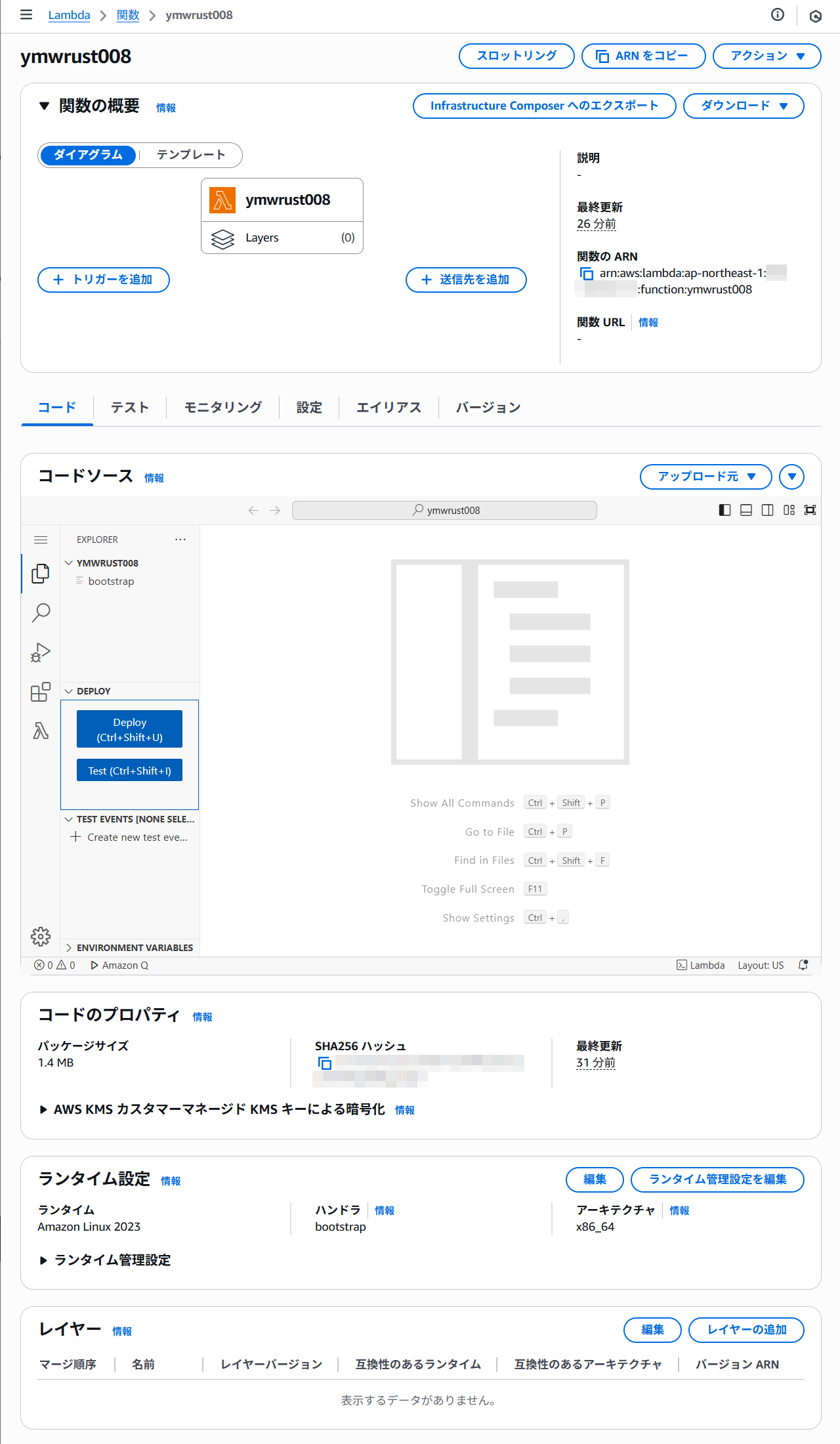
トリガーには何も設定されていませんでした。 コードも表示されませんでした。
Lambdaのテスト
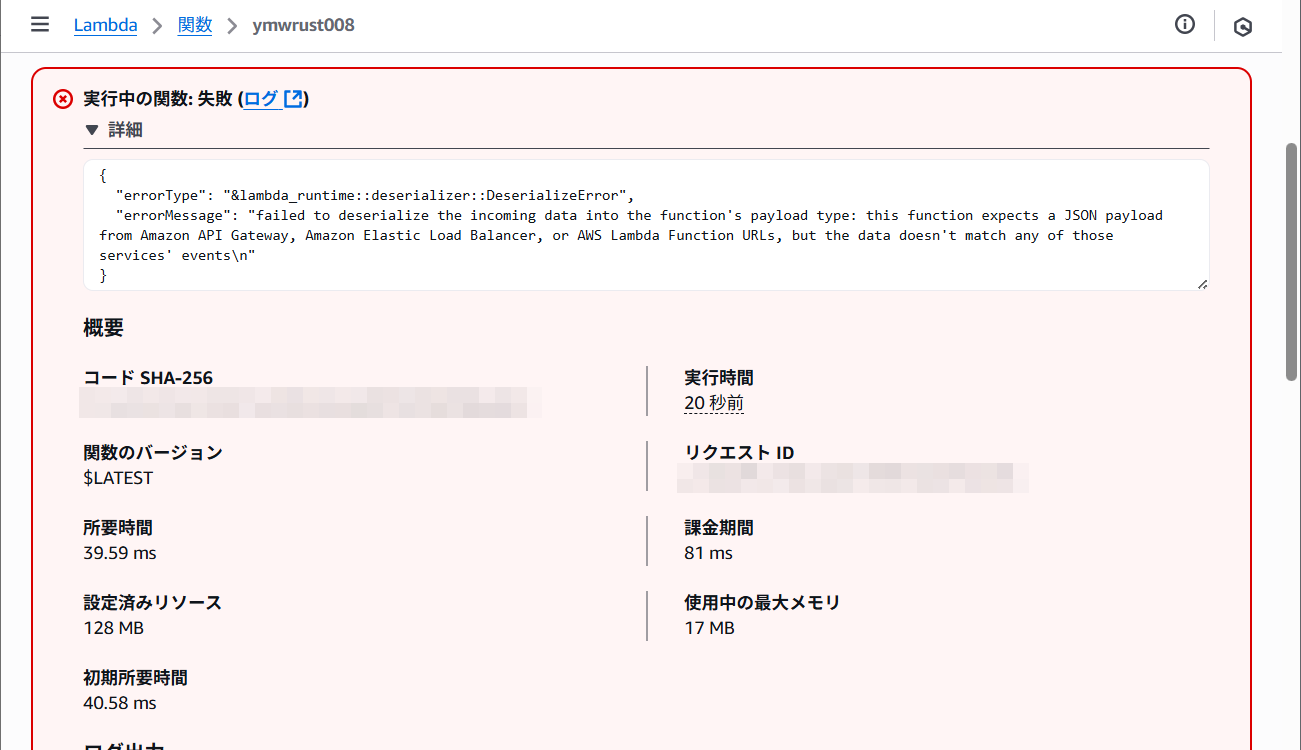
AWSマネジメントコンソール上でLambdaのテストを実行したところエラーになりました。
この関数はAPI Gatewayなどからのペイロードを引数として期待している、といった感じです。
API Gatewayを設定してみます。
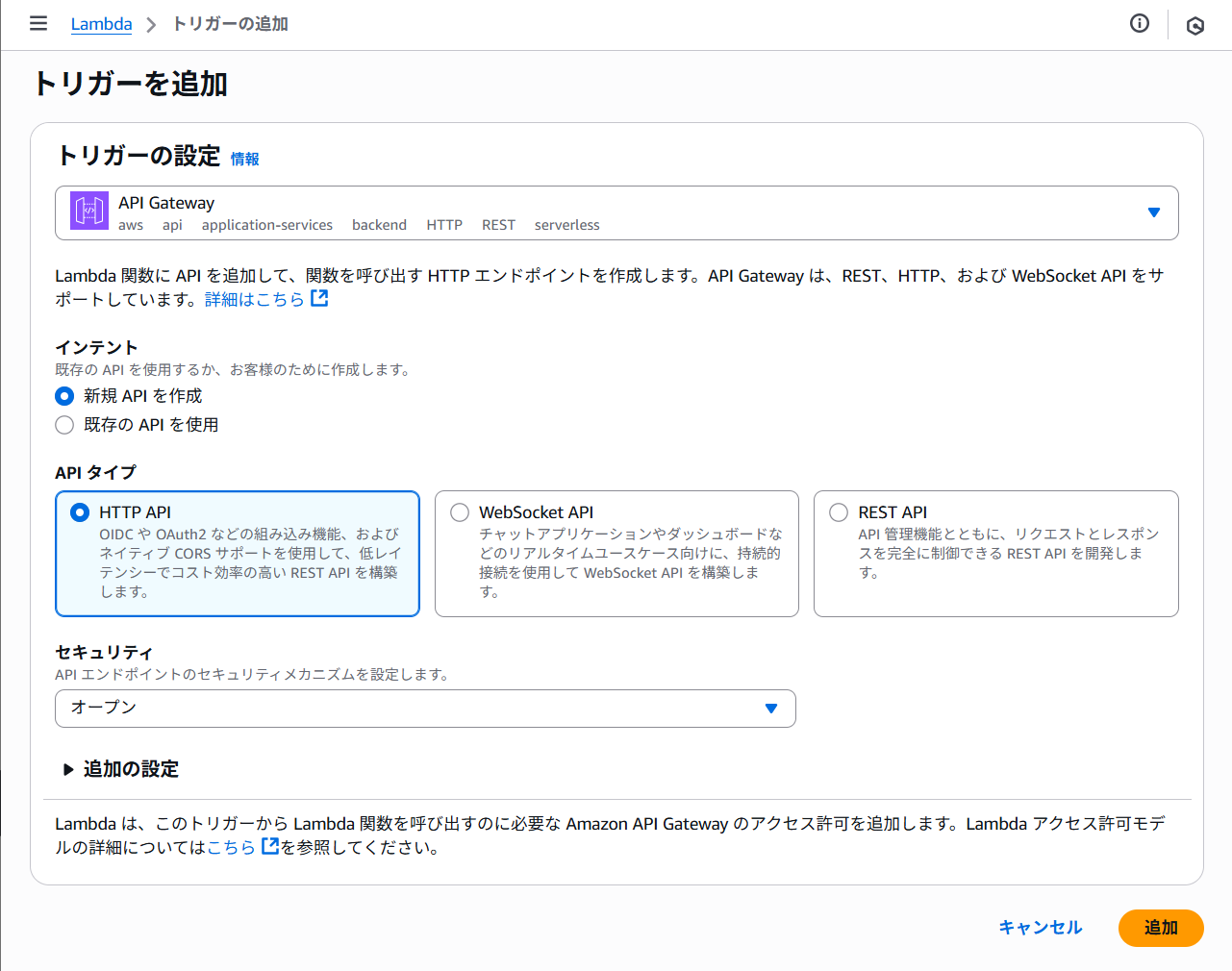
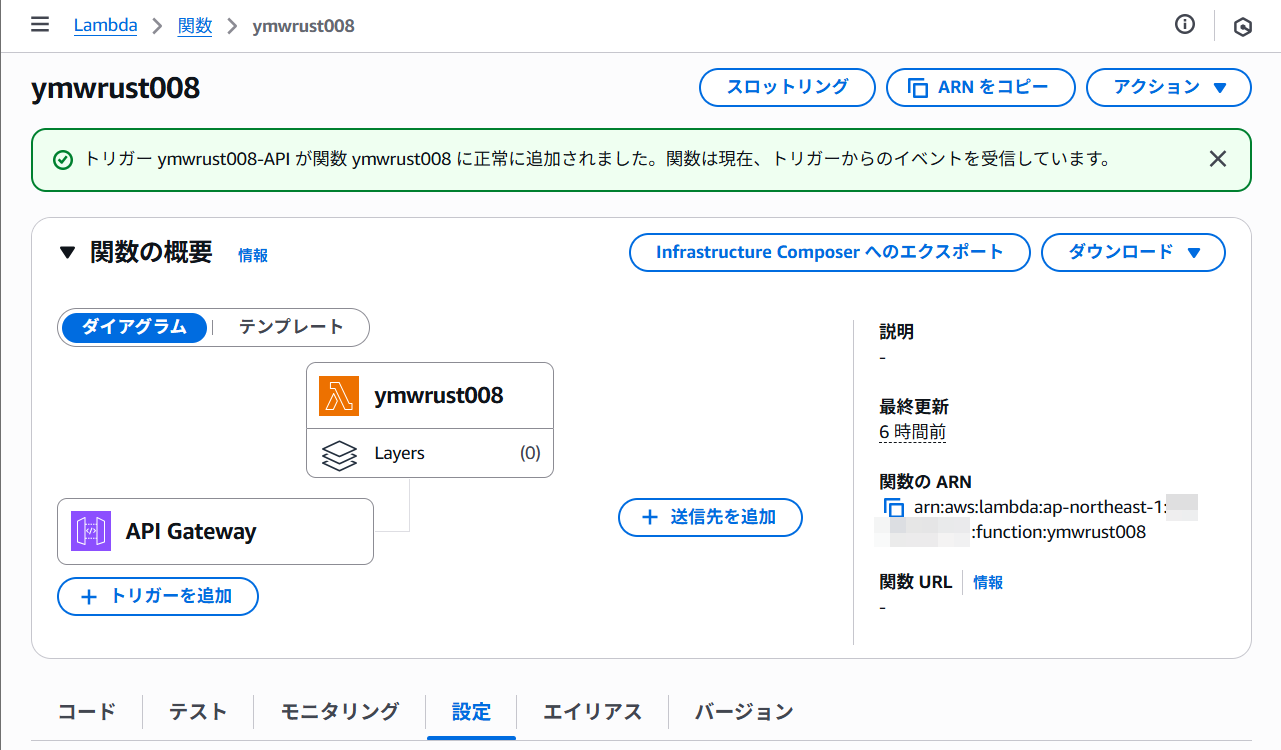
API Gatewayからテストを実施してみましたが結果は同じでした。
いつの間にかzipファイルができていました。
+ target
+ lambda
+ ymwrust008
- bootstrap
- bootstrap.zip
別の方法で実行してみます。
cargo lambda invoke
cargo lambda invokeを試してみます。
Error: x no data payload provided, use one of the data flags: `--da
ta-file`, `--data-ascii`, `--data-example`Was this behavior unexpected?
Start a thread in https://github.com/cargo-lambda/cargo-lambda/disc
ussionsdata payloadが提供されていないというエラーが出ました。--datafile、--data-ascii、--data-exampleの1つを指定すると良いようです。
--data-asciiでJSON形式の文字列を指定してみます。
ust008error: unexpected argument 'ymwrust008' found
Usage: cargo lambda invoke [OPTIONS] [FUNCTION_NAME]
For more information, try '--help'.
エラーが出ました。
別の方法を試してみます。
cargo build --release
curgo build --releaseを試してみます。
Compiling proc-macro2 v1.0.95
Compiling unicode-ident v1.0.18
:
Compiling futures-task v0.3.31
Compiling futures-io v0.3.31
error[E0463]: can't find crate for `core`
|
= note: the `x86_64-unknown-linux-musl` target may not be installed
= help: consider downloading the target with `rustup target add x86
_64-unknown-linux-musl`For more information about this error, try `rustc --explain E0463`.
error: could not compile `stable_deref_trait` (lib) due to 1 previous
errorwarning: build failed, waiting for other jobs to finish...
error: could not compile `itoa` (lib) due to 1 previous error
error: could not compile `futures-io` (lib) due to 1 previous error
error: could not compile `futures-sink` (lib) due to 1 previous error
error: could not compile `pin-project-lite` (lib) due to 1 previous e
rrorerror: could not compile `pin-utils` (lib) due to 1 previous error
error: could not compile `futures-core` (lib) due to 1 previous error
error: could not compile `futures-task` (lib) due to 1 previous error
error[E0463]: can't find crate for `std`
|
= note: the `x86_64-unknown-linux-musl` target may not be installed
= help: consider downloading the target with `rustup target add x86
_64-unknown-linux-musl`error: could not compile `fnv` (lib) due to 1 previous error
error: could not compile `once_cell` (lib) due to 1 previous error
error: could not compile `memchr` (lib) due to 1 previous error
x86_64-unknown-linux-muslのダウンロードを検討してくださいとメッセージが出ています。
info: downloading component 'rust-std' for 'x86_64-unknown-linux-musl
'info: installing component 'rust-std' for 'x86_64-unknown-linux-musl'
35.5 MiB / 35.5 MiB (100 %) 18.3 MiB/s in 1s ETA: 0s
もう一度試してみます。
Compiling proc-macro2 v1.0.95
Compiling pin-project-lite v0.2.16
:
Compiling lambda_http v0.13.0
Compiling ymwrust008 v0.1.0 (C:\Users\xxx\rust-workspace\ymwrust00
8)error: linker `cc` not found
|
= note: program not found
error: could not compile `ymwrust008` (bin "ymwrust008") due to 1 pre
vious errorccをインストールしてみます。
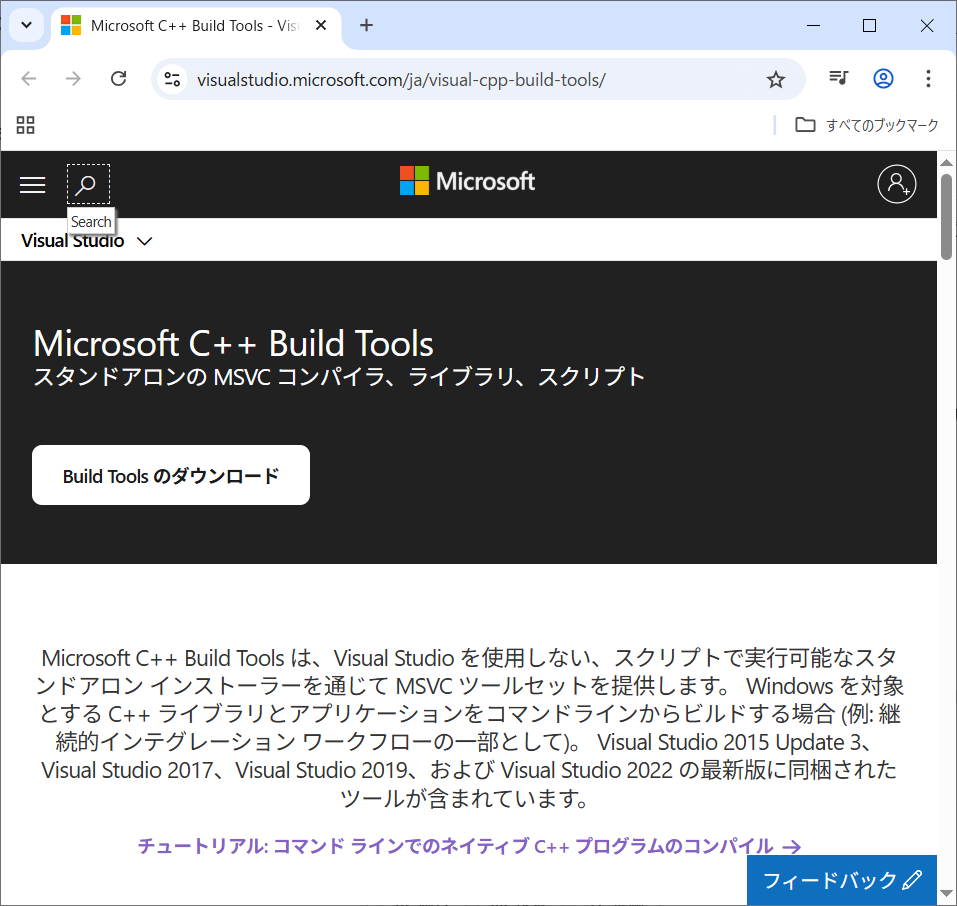
以下のファイルをダウンロードしました。
「管理者として実行」を行います。
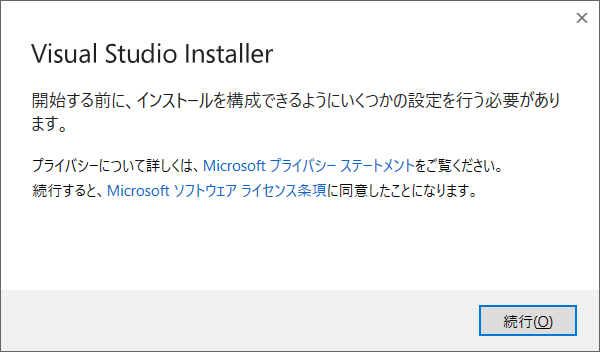
「続行」を押します。
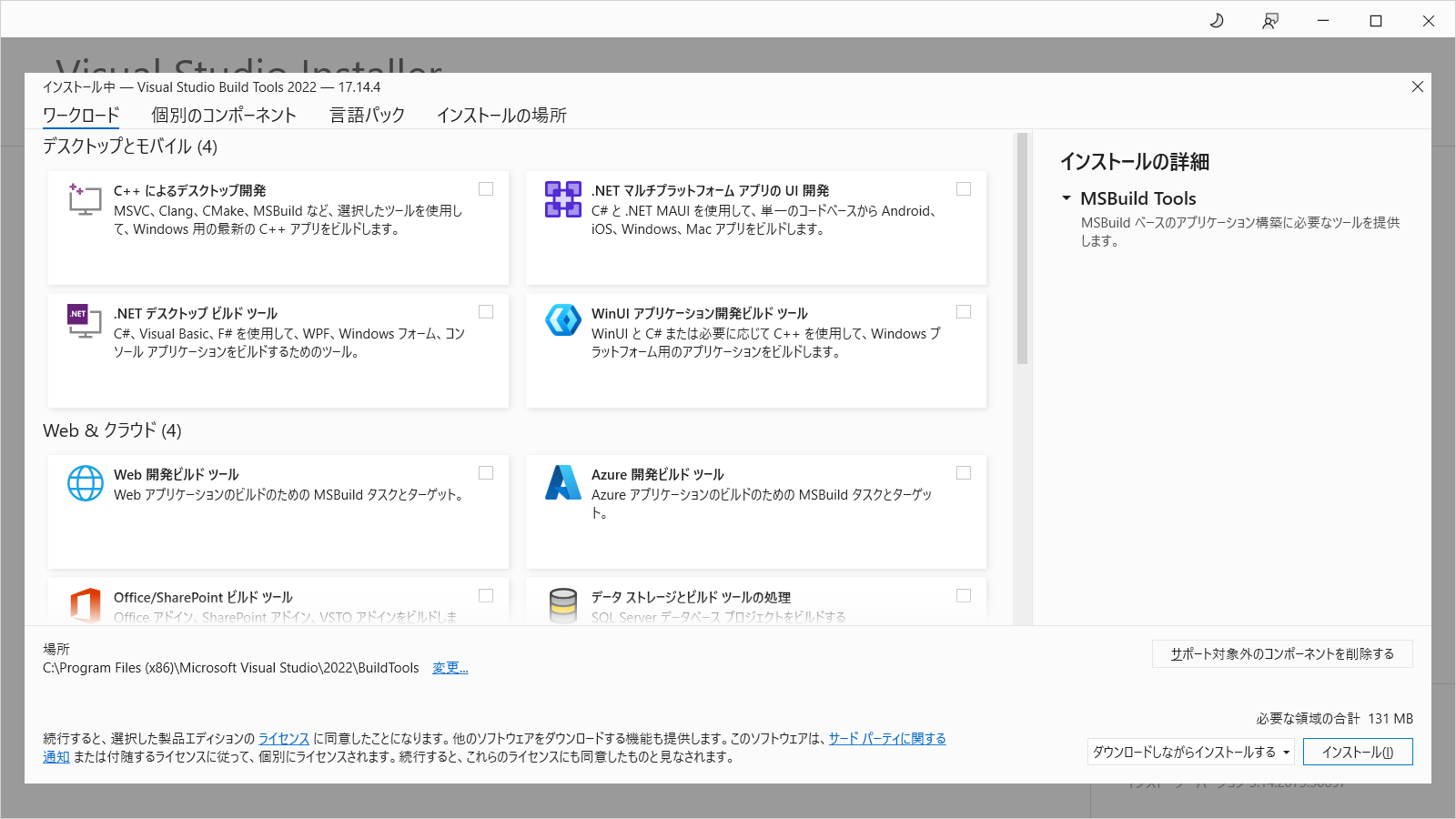
「C++ によるデスクトップ開発」をチェックします。
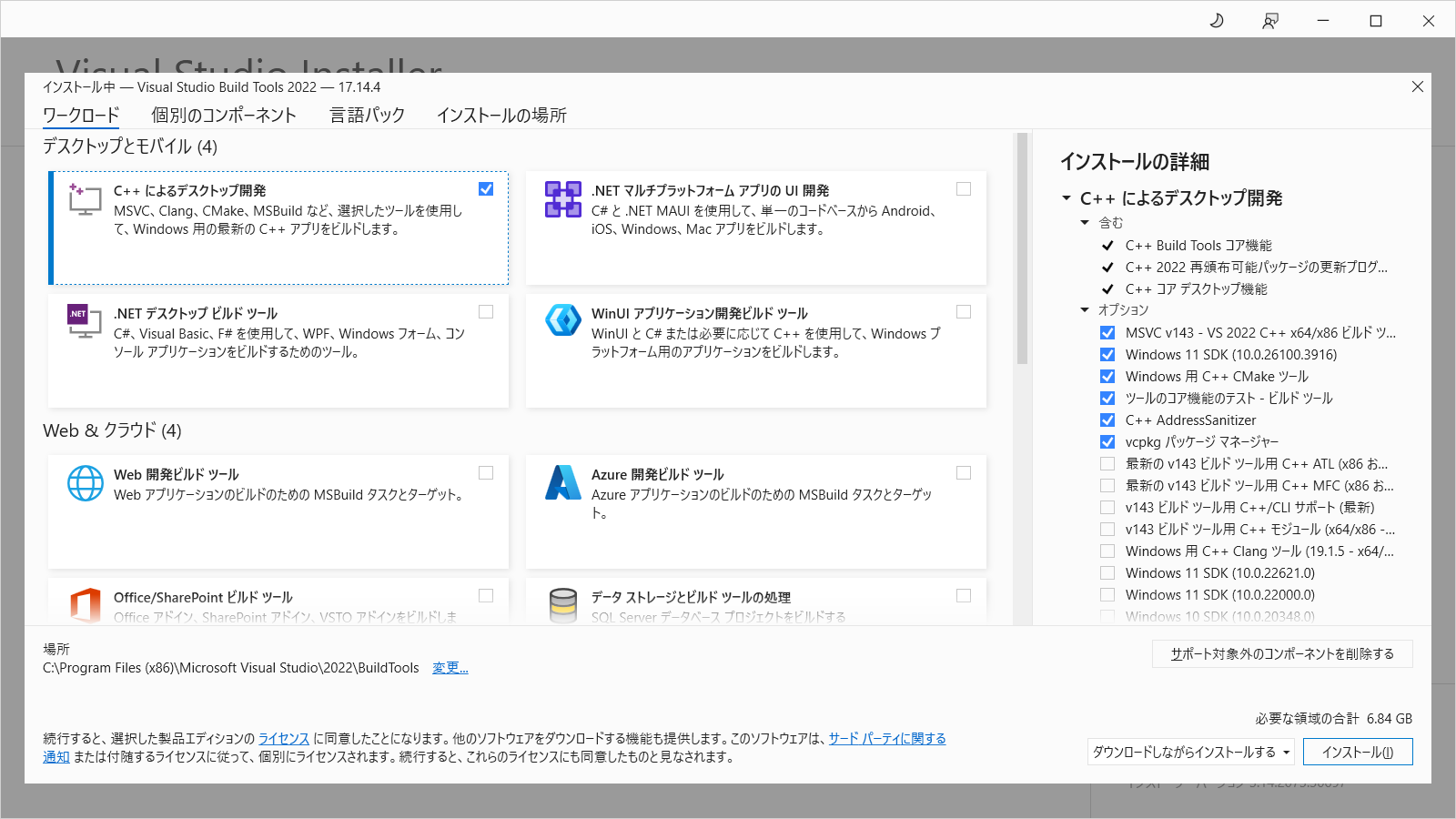
右下の「インストール」を押します。
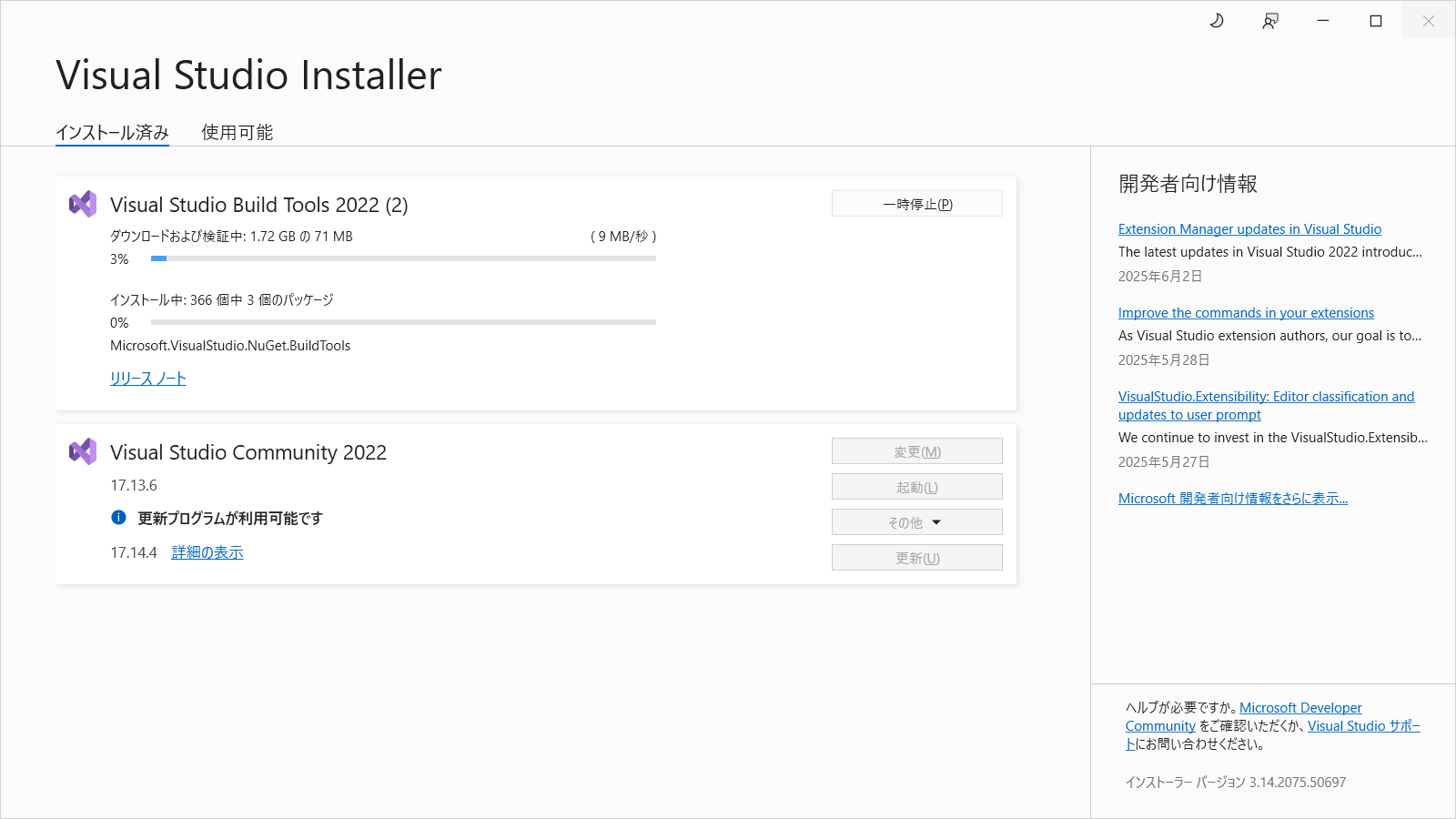
インストールしましたが状況は変わりませんでした。
別の方法を試してみます。
cargo lambda watch
cargo lambda watchを試してみます。
INFO starting Runtime server runtime_addr=127.0.0.1:9000
INFO starting lambda function function="_" manifest=Some("Cargo.toml
") cmd=Exec { prog: "\\\\?\\C:\\Users\\xxx\\.rustup\\toolchains\\stable-x86_64-pc-windows-msvc\\bin\\cargo.exe", args: ["run", "--color", "auto", "--manifest-path", "Cargo.toml"] }Compiling ymwrust008 v0.1.0 (C:\Users\xxx\rust-workspace\ymwrust00
8)Finished `dev` profile [unoptimized + debuginfo] target(s) in 5.2
7sRunning `target\debug\ymwrust008.exe`
別のコマンドプロンプトからコマンドを実行します。
008error: unexpected argument 'ymwrust008' found
Usage: cargo lambda invoke [OPTIONS] [FUNCTION_NAME]
For more information, try '--help'.
Error: Missing function
x that function doesn't exist as a binary in your project. Availabl
e functions: {"ymwrust008"}Was this behavior unexpected?
Start a thread in https://github.com/cargo-lambda/cargo-lambda/disc
ussions最初のコマンドプロンプトに以下のメッセージが出ました。
t exist as a binary in your project"-d '{}' -H "Content-Type: application/json"同じメッセージが表示されました。
ymwrust008のバイナリファイルがあるか確認します。
error: no bin target named `help`.
Available bin targets:
ymwrust008
helpがないと表示されました。Availableには「ymwrust008」が表示されています。
ymwrust008を指定してみます。
Finished `dev` profile [unoptimized + debuginfo] target(s) in 2.5
2sRunning `target\debug\ymwrust008.exe`
thread 'main' panicked at C:\Users\xxx\.cargo\registry\src\index.crat
es.io-1949cf8c6b5b557f\lambda_runtime-0.13.0\src\lib.rs:68:65:Missing AWS_LAMBDA_FUNCTION_NAME env var: NotPresent
note: run with `RUST_BACKTRACE=1` environment variable to display a b
acktraceerror: process didn't exit successfully: `target\debug\ymwrust008.exe
` (exit code: 101)以前と同じ環境変数がないというエラーがでました。
cargo lambda watchをCtrl+Cで停止します。
INFO terminating lambda function function="_"
error: unexpected argument '-f' found
tip: to pass '-f' as a value, use '-- -f'
Usage: cargo lambda watch [OPTIONS] [args]...
For more information, try '--help'.
-fオプションは無いようです。
煮詰まってしまったので今回はあきらめます。
■試したコマンドwinget install CargoLambda.CargoLambda
rustup target add x86_64-unknown-linux-musl
cargo run
cargo run --bin help
cargo run --bin ymwrust008
cargo build --release
cargo build --release --target x86_64-unknown-linux-musl
cargo lambda new ymwrust008 --http-feature=apigw_rest
cargo lambda build --release
cargo lambda deploy
cargo lambda invoke --remote ymwrust008
cargo lambda invoke --remote --data-ascii '{"name": "hoge"}' ymwrust0
08cargo lambda invoke --data-ascii '{"name": "hoge"}'
cargo lambda watch
curl http://localhost:9000/2015-03-31/functions/function/invocations
-d '{}' -H "Content-Type: application/json"2025/09/13 追記
Lambdaのテストで発生したエラーですが、テンプレート - オプションでAPI Gateway AWS Proxyを選択すると正常にテストすることができました!>>>Lambdaのテストリクエスト
Copyright (C) 2025 ymlib.com