
| サンプル集 |
|
■VC ■C# ■Java ■BorlandC ■LinuxC ■MS-DOS ■bash ■Excel VBA ■VBScript ■PHP ■HTML ■perl ■iPhone ■Android ■Lua ■WordPress ■PowerShell ■Python ■Flutter ■Rust ■Node.js ■ReactNative ■other |
| Linuxコマンド |
| 用語集 |
| debian メモ |
| apache2 メモ |
| MySQL メモ |
| Oracle メモ |
| PostgreSQL |
| HOME |
ReactNativeについて調べてみます。
◆環境| OS | Windows 10 Home 20H2 64bit OS x64 プロセッサ |
|---|
ReactNative(リアクト・ネイティブ)とは次のようなもののようです。
- Facebookが開発しているiOS/Androidアプリ開発の技術。
- 他にAppleのSwift UI、GoogleのFlutterもある。
- 開発言語はJavaScript/TypeScript。
ReactNativeの開発環境を整えるためにはいくつかのアプリのインストールが必要なようです。
Chocolatey
「チョコレーティ」や「チョコラティ」と呼ばれているようです。
Linux系の apt-get のWindows版のようなもののようです。
PowerShellでのchocolateyのインストールコマンドです。
Set-ExecutionPolicy Bypass -Scope Process -Force; iex ((New-Object Sy
 stem.Net.WebClient).DownloadString('https://chocolatey.org/install.
ps1'))
stem.Net.WebClient).DownloadString('https://chocolatey.org/install.ps1'))
PowerShellを管理者で実行しコマンドを実行します。
PS C:\Windows\system32> Set-ExecutionPolicy Bypass -Scope Process -Fo
rce; iex ((New-Object System.Net.WebClient).DownloadString('https:/
/chocolatey.org/install.ps1'))
Forcing web requests to allow TLS v1.2 (Required for requests to Choc
olatey.org)
Getting latest version of the Chocolatey package for download.
Not using proxy.
Getting Chocolatey from https://community.chocolatey.org/api/v2/packa
ge/chocolatey/0.11.3.
Downloading https://community.chocolatey.org/api/v2/package/chocolate
y/0.11.3 to C:\Users\xxxxx\AppData\Local\Temp\chocolatey\chocoInsta
ll\chocolatey.zip
Not using proxy.
Extracting C:\Users\xxxxx\AppData\Local\Temp\chocolatey\chocoInstall\
chocolatey.zip to C:\Users\xxxxx\AppData\Local\Temp\chocolatey\choc
oInstall
Installing Chocolatey on the local machine
Creating ChocolateyInstall as an environment variable (targeting 'Mac
hine')
Setting ChocolateyInstall to 'C:\ProgramData\chocolatey'
WARNING: It's very likely you will need to close and reopen your shel
l
before you can use choco.
Restricting write permissions to Administrators
We are setting up the Chocolatey package repository.
The packages themselves go to 'C:\ProgramData\chocolatey\lib'
(i.e. C:\ProgramData\chocolatey\lib\yourPackageName).
A shim file for the command line goes to 'C:\ProgramData\chocolatey\b
in'
and points to an executable in 'C:\ProgramData\chocolatey\lib\yourP
ackageName'.
Creating Chocolatey folders if they do not already exist.
WARNING: You can safely ignore errors related to missing log files wh
en
upgrading from a version of Chocolatey less than 0.9.9.
'Batch file could not be found' is also safe to ignore.
'The system cannot find the file specified' - also safe.
chocolatey.nupkg file not installed in lib.
Attempting to locate it from bootstrapper.
PATH environment variable does not have C:\ProgramData\chocolatey\bin
in it. Adding...
警告: Not setting tab completion: Profile file does not exist at
'C:\Users\xxxxx\Documents\WindowsPowerShell\Microsoft.PowerShell_prof
ile.ps1'.
Chocolatey (choco.exe) is now ready.
You can call choco from anywhere, command line or powershell by typin
g choco.
Run choco /? for a list of functions.
You may need to shut down and restart powershell and/or consoles
first prior to using choco.
Ensuring Chocolatey commands are on the path
Ensuring chocolatey.nupkg is in the lib folder
PS C:\Windows\system32>
rce; iex ((New-Object System.Net.WebClient).DownloadString('https://chocolatey.org/install.ps1'))Forcing web requests to allow TLS v1.2 (Required for requests to Choc
olatey.org)
Getting latest version of the Chocolatey package for download.Not using proxy.
Getting Chocolatey from https://community.chocolatey.org/api/v2/packa
ge/chocolatey/0.11.3.Downloading https://community.chocolatey.org/api/v2/package/chocolate
y/0.11.3 to C:\Users\xxxxx\AppData\Local\Temp\chocolatey\chocoInstall\chocolatey.zipNot using proxy.
Extracting C:\Users\xxxxx\AppData\Local\Temp\chocolatey\chocoInstall\
chocolatey.zip to C:\Users\xxxxx\AppData\Local\Temp\chocolatey\chocoInstallInstalling Chocolatey on the local machine
Creating ChocolateyInstall as an environment variable (targeting 'Mac
hine')Setting ChocolateyInstall to 'C:\ProgramData\chocolatey'
WARNING: It's very likely you will need to close and reopen your shel
lbefore you can use choco.
Restricting write permissions to Administrators
We are setting up the Chocolatey package repository.
The packages themselves go to 'C:\ProgramData\chocolatey\lib'
(i.e. C:\ProgramData\chocolatey\lib\yourPackageName).
A shim file for the command line goes to 'C:\ProgramData\chocolatey\b
in'and points to an executable in 'C:\ProgramData\chocolatey\lib\yourP
ackageName'.Creating Chocolatey folders if they do not already exist.
WARNING: You can safely ignore errors related to missing log files wh
enupgrading from a version of Chocolatey less than 0.9.9.
'Batch file could not be found' is also safe to ignore.
'The system cannot find the file specified' - also safe.
chocolatey.nupkg file not installed in lib.
Attempting to locate it from bootstrapper.
PATH environment variable does not have C:\ProgramData\chocolatey\bin
in it. Adding...警告: Not setting tab completion: Profile file does not exist at
'C:\Users\xxxxx\Documents\WindowsPowerShell\Microsoft.PowerShell_prof
ile.ps1'.Chocolatey (choco.exe) is now ready.
You can call choco from anywhere, command line or powershell by typin
g choco.Run choco /? for a list of functions.
You may need to shut down and restart powershell and/or consoles
first prior to using choco.
Ensuring Chocolatey commands are on the path
Ensuring chocolatey.nupkg is in the lib folder
PS C:\Windows\system32>
GUIツールがあると便利だそうなのでGUIをインストールします。インストールコマンドは以下になります。
choco install chocolateygui -y
PowerShellを管理者で実行しコマンドを実行します。
PS C:\Windows\system32> choco install chocolateygui -y
Chocolatey v0.11.3
Installing the following packages:
chocolateygui
By installing, you accept licenses for the packages.
Progress: Downloading ChocolateyGUI 0.19.0... 100%
Progress: Downloading chocolatey-core.extension 1.3.5.1... 100%
Progress: Downloading DotNet4.5.2 4.5.2.20140902... 100%
chocolatey-core.extension v1.3.5.1 [Approved]
chocolatey-core.extension package files install completed. Performing
other installation steps.
Installed/updated chocolatey-core extensions.
The install of chocolatey-core.extension was successful.
Software installed to 'C:\ProgramData\chocolatey\extensions\chocola
tey-core'
DotNet4.5.2 v4.5.2.20140902 [Approved]
dotnet4.5.2 package files install completed. Performing other install
ation steps.
Microsoft .Net 4.5.2 Framework is already installed on your machine.
The install of dotnet4.5.2 was successful.
Software install location not explicitly set, it could be in packag
e or
default install location of installer.
ChocolateyGUI v0.19.0 [Approved]
chocolateygui package files install completed. Performing other insta
llation steps.
Installing ChocolateyGUI...
ChocolateyGUI has been installed.
Added C:\ProgramData\chocolatey\bin\chocolateygui.exe shim pointed to
'c:\program files (x86)\chocolatey gui\chocolateygui.exe'.
Added C:\ProgramData\chocolatey\bin\chocolateyguicli.exe shim pointed
to 'c:\program files (x86)\chocolatey gui\chocolateyguicli.exe'.
chocolateygui may be able to be automatically uninstalled.
The install of chocolateygui was successful.
Software installed as 'msi', install location is likely default.
Chocolatey installed 3/3 packages.
See the log for details (C:\ProgramData\chocolatey\logs\chocolatey.l
og).
PS C:\Windows\system32>
Chocolatey v0.11.3
Installing the following packages:
chocolateygui
By installing, you accept licenses for the packages.
Progress: Downloading ChocolateyGUI 0.19.0... 100%
Progress: Downloading chocolatey-core.extension 1.3.5.1... 100%
Progress: Downloading DotNet4.5.2 4.5.2.20140902... 100%
chocolatey-core.extension v1.3.5.1 [Approved]
chocolatey-core.extension package files install completed. Performing
other installation steps.Installed/updated chocolatey-core extensions.
The install of chocolatey-core.extension was successful.
Software installed to 'C:\ProgramData\chocolatey\extensions\chocola
tey-core'DotNet4.5.2 v4.5.2.20140902 [Approved]
dotnet4.5.2 package files install completed. Performing other install
ation steps.Microsoft .Net 4.5.2 Framework is already installed on your machine.
The install of dotnet4.5.2 was successful.
Software install location not explicitly set, it could be in packag
e ordefault install location of installer.
ChocolateyGUI v0.19.0 [Approved]
chocolateygui package files install completed. Performing other insta
llation steps.Installing ChocolateyGUI...
ChocolateyGUI has been installed.
Added C:\ProgramData\chocolatey\bin\chocolateygui.exe shim pointed to
'c:\program files (x86)\chocolatey gui\chocolateygui.exe'.Added C:\ProgramData\chocolatey\bin\chocolateyguicli.exe shim pointed
to 'c:\program files (x86)\chocolatey gui\chocolateyguicli.exe'.chocolateygui may be able to be automatically uninstalled.
The install of chocolateygui was successful.
Software installed as 'msi', install location is likely default.
Chocolatey installed 3/3 packages.
See the log for details (C:\ProgramData\chocolatey\logs\chocolatey.l
og).PS C:\Windows\system32>
スタートメニューに「Chocolatey GUI」が追加されていました。
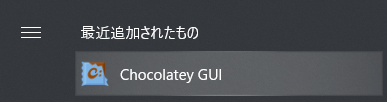
Chocolatey GUIをクリックします。
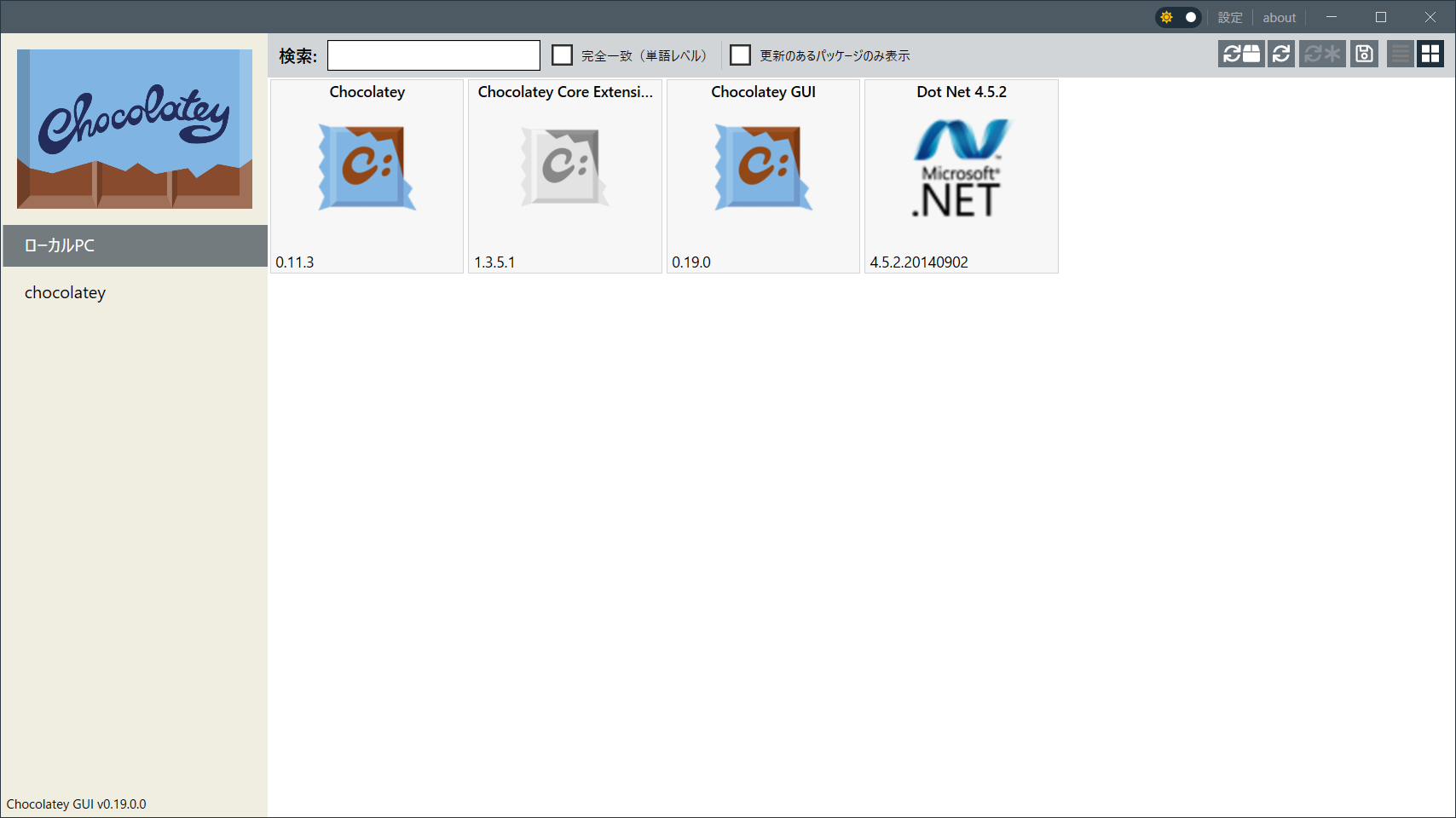
Chocolatey GUIが起動しました。
2025/11/22 追記
Chocolatey v2.5.1になっていました。
chocolateyguiをインストールすると最後にバージョンが表示されました。
Installed:
- chocolatey-compatibility.extension v1.0.0
- chocolatey-core.extension v1.4.0
- chocolatey-dotnetfx.extension v1.0.1
- chocolateygui v2.1.1
- dotnetfx v4.8.0.20220524
- KB2919355 v1.0.20160915
- KB2919442 v1.0.20160915
- chocolatey-compatibility.extension v1.0.0
- chocolatey-core.extension v1.4.0
- chocolatey-dotnetfx.extension v1.0.1
- chocolateygui v2.1.1
- dotnetfx v4.8.0.20220524
- KB2919355 v1.0.20160915
- KB2919442 v1.0.20160915
Copyright (C) 2021 - 2025 ymlib.com