export/importを使ってみます。
◆環境
| OS |
Windows 11 Home 25H2 |
| Browser |
Google Chrome 143.0.7499.193 |
index.htmlではscriptタグでmain.jsを指定します。
|
index.html
|
1:
2:
3:
4:
5:
6:
7:
8:
9:
|
<!doctype html>
<head>
<meta charset="utf-8">
<title>export/import</title>
</head>
<body>
<script src="main.js"></script>
</body>
</html>
|
|
main.jsではmodule.jsをインポートするようにします。
|
main.js
|
1:
2:
3:
4:
5:
6:
7:
8:
9:
|
import fn from './module';
import fn2 from './module';
import defFn from './module';
console.log(fn(2));
console.log(fn2(2));
console.log(defFn);
|
|
関数を3つ定義しそれぞれ別の方法でexportします。
|
module.js
|
1:
2:
3:
4:
5:
6:
7:
8:
9:
10:
11:
12:
13:
14:
15:
|
// 関数宣言と同時にexport
export function fn(n) {
return n * 2;
}
// 後からexport
export function fn2(n) {
return n * 2;
}
export { fn2 }
// default export
export default function fn3(n) {
return 'Hello!!';
}
|
|
index.htmlをChromeで開きF12でdeveloper toolsを開くとエラーが出ていました。
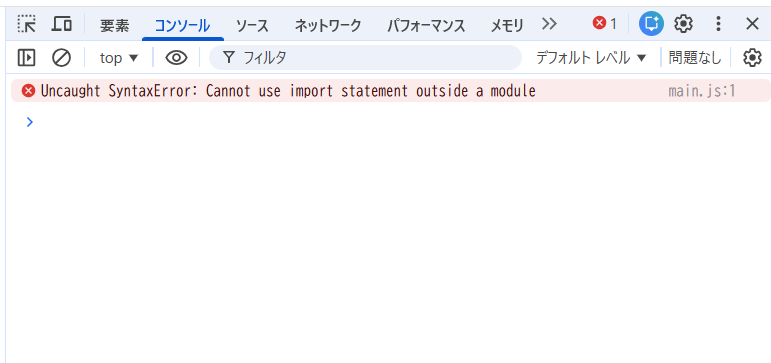
index.htmlのscriptタグにtype="module"を指定します。
|
index.html
|
1:
2:
3:
4:
5:
6:
7:
8:
9:
|
<!doctype html>
<head>
<meta charset="utf-8">
<title>export/import</title>
</head>
<body>
<script type="module" src="main.js"></script>
</body>
</html>
|
|
main.jsはimportするモジュール指定に.jsを追記します。
|
main.js
|
1:
2:
3:
4:
5:
6:
7:
8:
9:
|
import fn from './module.js';
import fn2 from './module.js';
import defFn from './module.js';
console.log(fn(2));
console.log(fn2(2));
console.log(defFn());
|
|
fn2のexportは後からexportする文とかぶっているため削除します。
|
module.js
|
1:
2:
3:
4:
5:
6:
7:
8:
9:
10:
11:
12:
13:
14:
15:
|
// 関数宣言と同時にexport
export function fn(n) {
return n * 2;
}
// 後からexport
function fn2(n) {
return n * 2;
}
export { fn2 }
// default export
export default function fn3(n) {
return 'Hello!!';
}
|
|
再度index.htmlをブラウザで開いてdeveloper toolsを開くと別のエラーが出ていました。
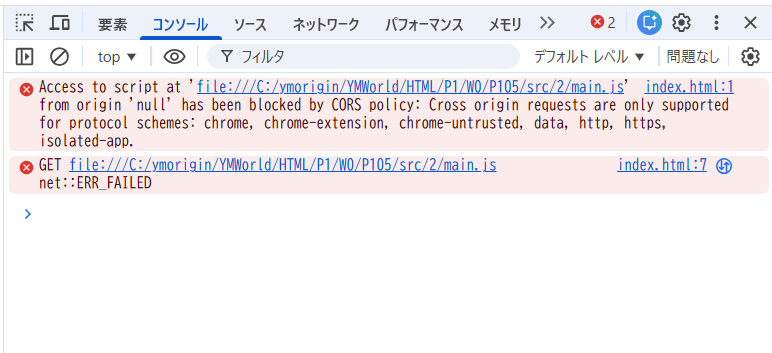
調べたところサーバーを起動させる必要があるようです。
VSCodeの拡張機能であるLive Serverをインストールします。
Live Serverをインストール後、index.htmlを右クリックしOpen with Live Serverをクリックします。
Hello!!が3行表示されています。
最後に表示されているFailed to load resourceはとりあえずは無視してよいようです。
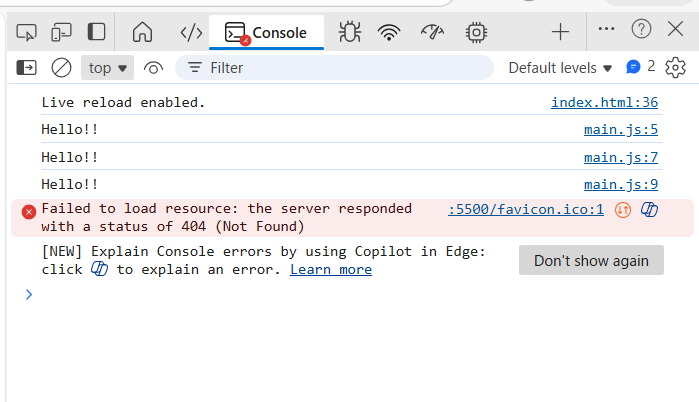
調べたところimportする関数名に{}を付けないとdefault exportが割り当てらてしまうようです。
fnとfn2のimportに{}を付けます。
|
main.js
|
1:
2:
3:
4:
5:
6:
7:
8:
9:
|
import { fn } from './module.js';
import { fn2 } from './module.js';
import defFn from './module.js';
console.log(fn(2));
console.log(fn2(2));
console.log(defFn());
|
|
再度index.htmlをブラウザで開いてdeveloper toolsを開くと4、4、Hello!!と表示されています。
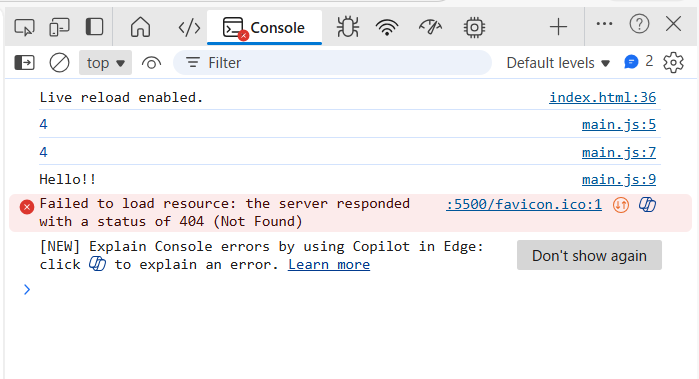
期待通りに動作しました!(最後のエラーは無視します)
関連項目
VSCode拡張機能 Live Server
▲ PageTop ■ Home
Copyright (C) 2026 ymlib.com
